Invoiced Loans Report
The Invoiced Loans Report provides a list of all invoiced loans in the chosen date range and key information about them.
Minimum Compensation Access Level Required: Executive
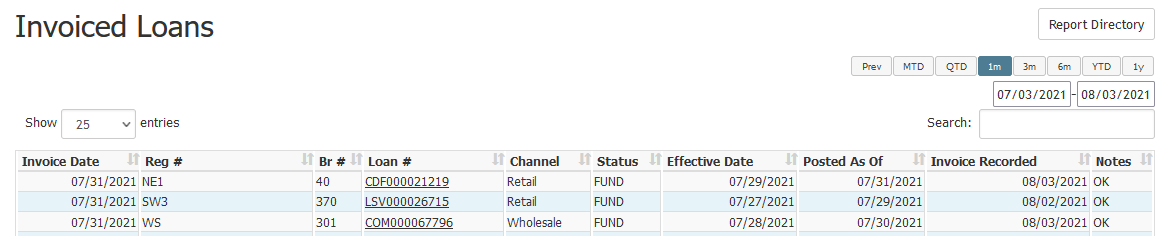
This report includes the following columns:
- Invoice Date: Last day of the billable month
- Reg #: Region the loan resides in
- Br #: Branch the loan resides in
- Loan #:Loan number
- Channel: Loan channel
- Status: Loan’s current status
- Effective Date: Date the loan was completed
- Posted As Of: Date the loan was completed
- Invoice Recorded: Date the loan was marked as billable
- Notes: Information about the billable status
- Prior to Company Invoice Date: Loan completed prior to company’s first invoice date
- Invoiced; Credited in Subsequent Month: Loan was invoiced, then corrected. As a result of correction, company was credited in the following month.
- Loan Posted Late; Invoiced in Subsequent Month: Loans marked compensation payable after the cutoff date for billing
- OK: Loan was marked compensation payable in the billing month
- Fallout: Loan fell out of completed status after being included in prior invoice. Loan will not be billed again

See also: