Menu for Master Branch & Region Access Level Users
This article details the nCino Incentive Compensation menu that users with an Access Level of "Master Branch" or "Region" see.
Logo
Clicking your company logo will take you to your company's nCino Incentive Compensation home page.
Payroll
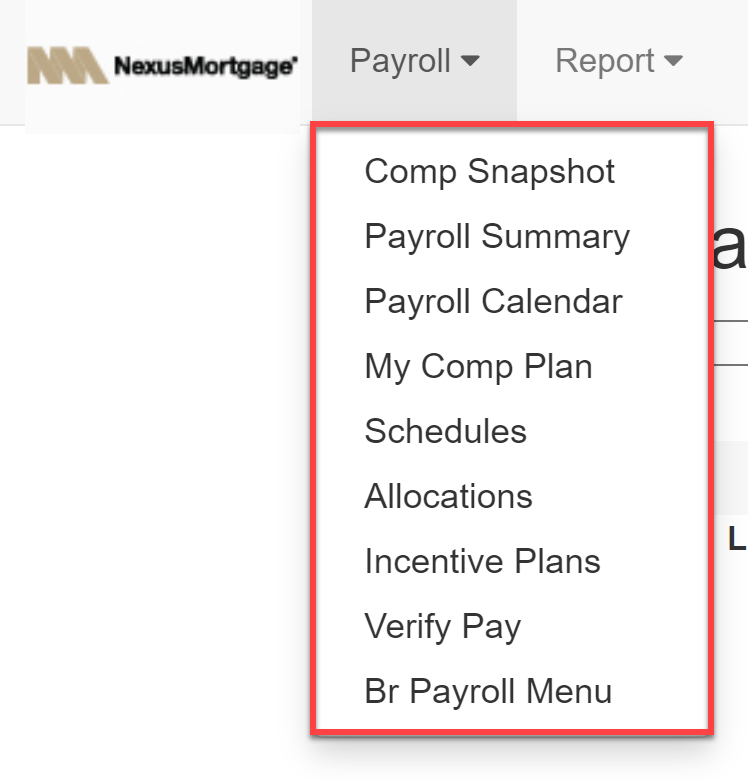
The Payroll menu contains the following items:
- Comp Snapshot: View the current status of your compensation for this pay period.
- Payroll Summary: View a complete breakdown of your compensation for this pay period.
- Payroll Calendar: View a visual calendar of key dates for each payroll period.
- My Comp Plan: View your assigned compensation plan.
- Schedules: View a list of all schedules.
- Allocations: View a list of all allocations.
- Incentive Plans: View a list of all incentive plans.
- Verify Pay: View and verify your pay for this payroll period. Appears if your company is using the Verify Pay feature.
- Br Payroll Menu: View the Branch payroll menu. There, you can manage your branch’s payroll.
Report
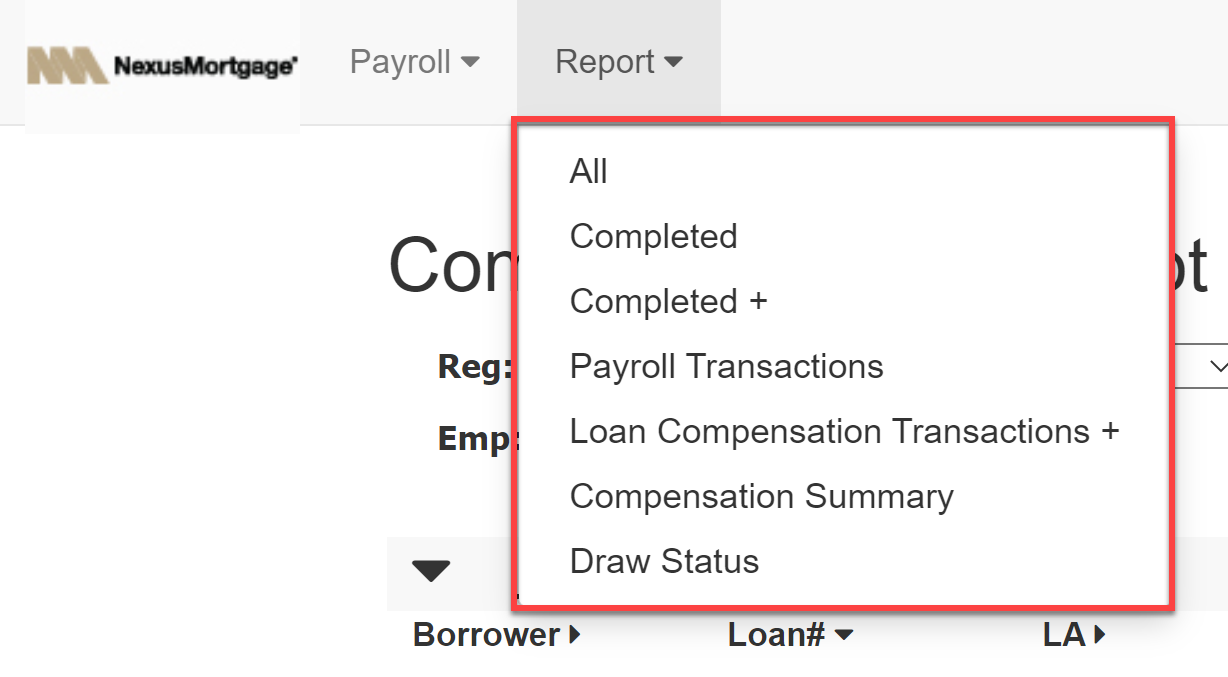
The Report menu contains the following items:
- All: View a list of all available reports.
- Completed: View a list of completed loans.
- Completed +: View a hierarchy-based report of compensation for completed loans.
- Payroll Transactions: View a list of all transactions for the selected pay period.
- Loan Compensation Transactions +: View a hierarchy-based report of compensation transactions.
- Compensation Summary: View a summary of all compensation for the current payroll period.
- Draw Status: View the status of your draws for this pay period.
Icons

The nCino Incentive Compensation menu contains the following icons:
- Magnifying Glass(
 ): Open the site search. This allows you to search for loans, employees, or branches.
 - Book(
 ): Go to the company directory. This allows you to see lists of all regions, branches, or employees in your company
 - Person(
 ): Go to your employee details page.
 - Gear(
 ): Open the Settings menu. The settings menu includes the following options:
- Impersonate: View nCino Incentive Compensation from the perspective of another user.
- Set Branch: Choose which branch to view data from. The branches in this list are the branches you have access to view.
- Change Password: Change your current password.
- Log Out: Log out of your account.
- Chain Links(
 ): Access useful external links. Available if set up by your company.
 - Question Mark(
 ): View the Knowledge Base article related to the current page.
 - Download Icon(
 ): Export data from the report.