Maximum Payroll Recapture for Draws
This article describes maximum payroll recapture settings for draws in nCino Incentive Compensation, and how admins can use them.
Overview of Maximum Payroll Recapture For Draw Tool
Admins can use the Maximum Payroll Recapture for Draw tool in nCino Incentive Compensation to set the maximum amount recaptured from an employee's net commission each payroll period. This is the recaptured pay applied to outstanding draw balances.
There are two options for setting an employee's max recapture amount:
- As a percentage (%)
- As a flat dollar amount ($)
The max recapture amount stays in effect until manually changed. It does not reset after each draw.
Note: The system does not include guaranteed minimum draws in the maximum recapture amount calculation.
Access the Tool
To access the Maximum Payroll Recapture For Draws tool from the nCino Incentive Compensation menu, click:
-
Payroll ▼
-
Corp Payroll Menu
-
The Draws and Carry-Over Balances section
-
Maximum Payroll Recapture For Draws
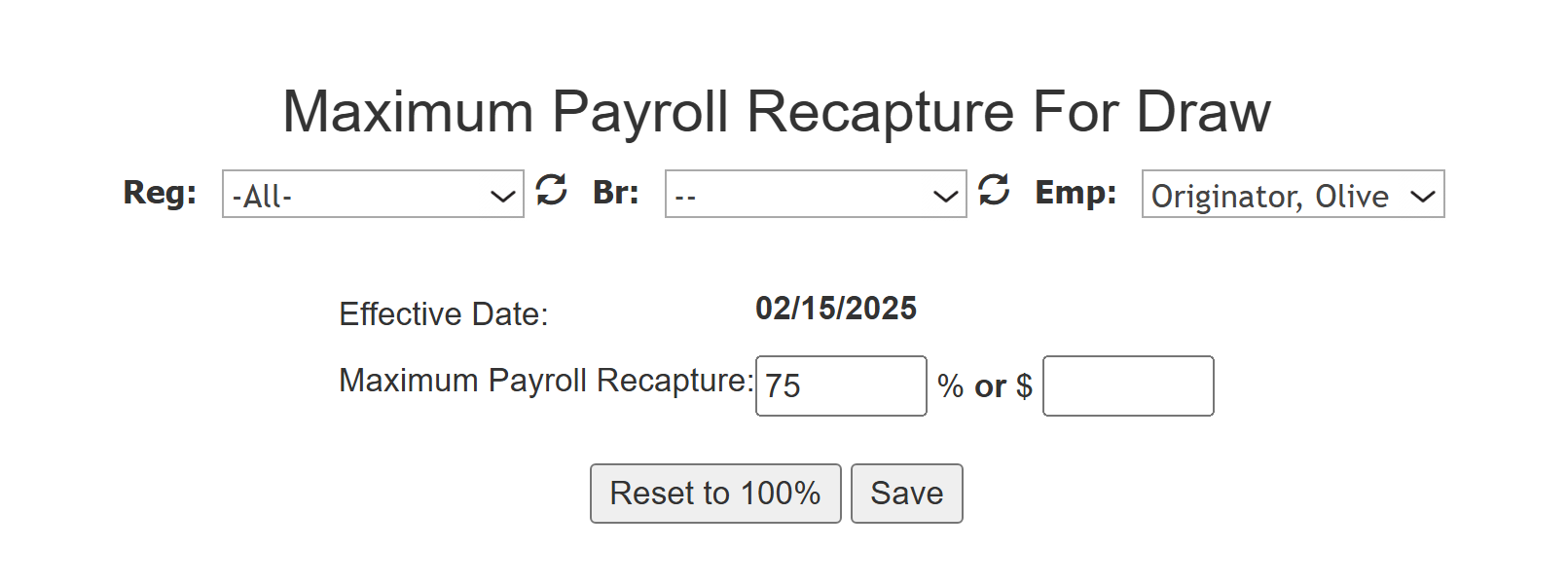
Set an Employee’s Maximum Recapture Amount
To use the tool:
-
Use the Region, Branch, and Employee selectors to choose an employee. This is identical to the tool in filters. For more information on how to use this selector, refer to How do I filter reports?
-
Enter a maximum value in either the percentage (for a maximum percentage of pay) or dollar field (for a maximum dollar amount).
-
Click Save to save your entry. Click Reset to 100% to use no maximum recapture amount.
The Effective Date lists the first pay date that the employee's entered maximum recapture amount takes effect.
Example Maximum Recaptures
Maximum Recapture Amount as a Percentage
When an employee's max recapture amount is a percentage, the system can recapture a variable amount that's based on the employee's net commission for the payroll period.
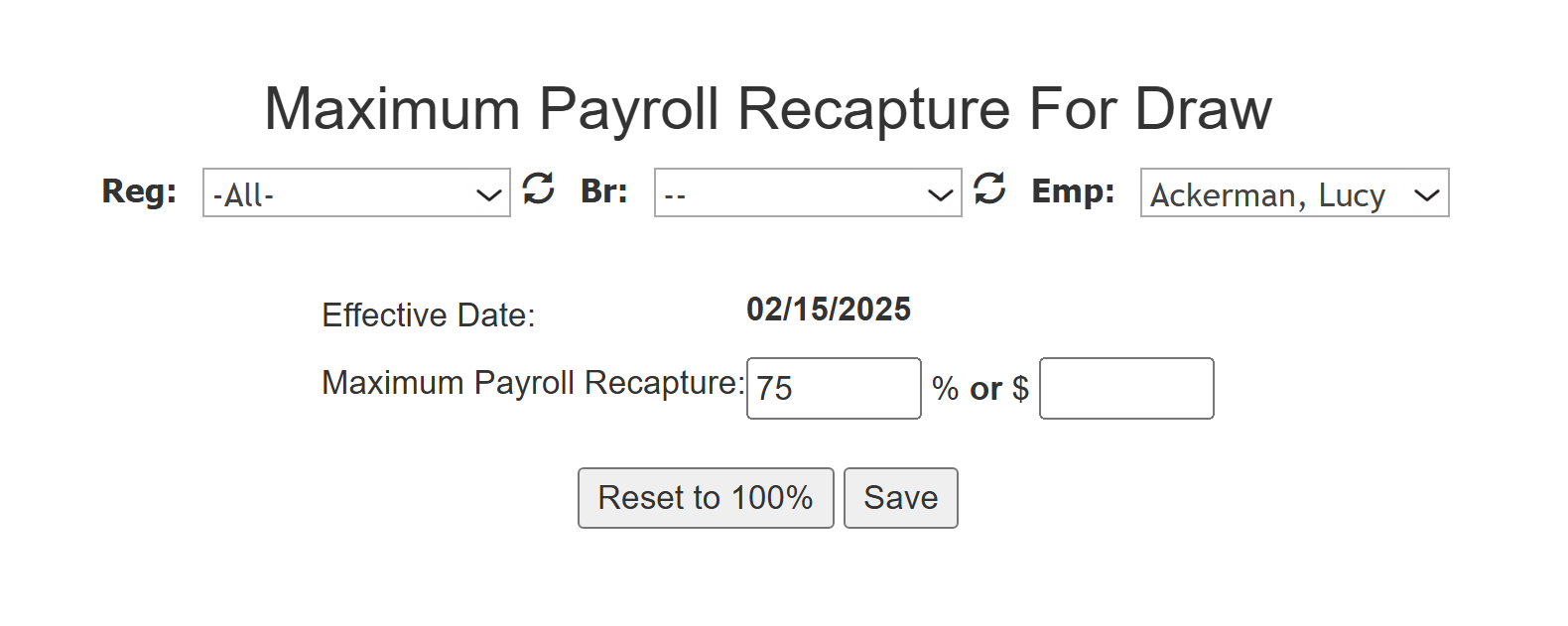
Lucy Ackerman’s maximum payroll recapture amount is set to 75%. The following table shows how the 75% maximum recapture setting impacts Lucy's pay and draw balance for two consecutive payroll periods.
| Draw Balance | Net Commission | Recaptured | Net Pay | New Draw Balance | |
|---|---|---|---|---|---|
| Pay Period 1 | $5,000 | $1,100 | $825 | $275 | $4,175 |
| Pay Period 2 | $4,175 | $2,350 | $1,762.50 | $587.50 | $2,412.50 |
Maximum Recapture Amount as a Flat Dollar Amount
When an employee's max recapture amount is a flat dollar amount, the system recaptures up to that amount from the employee's net commission for the payroll period.
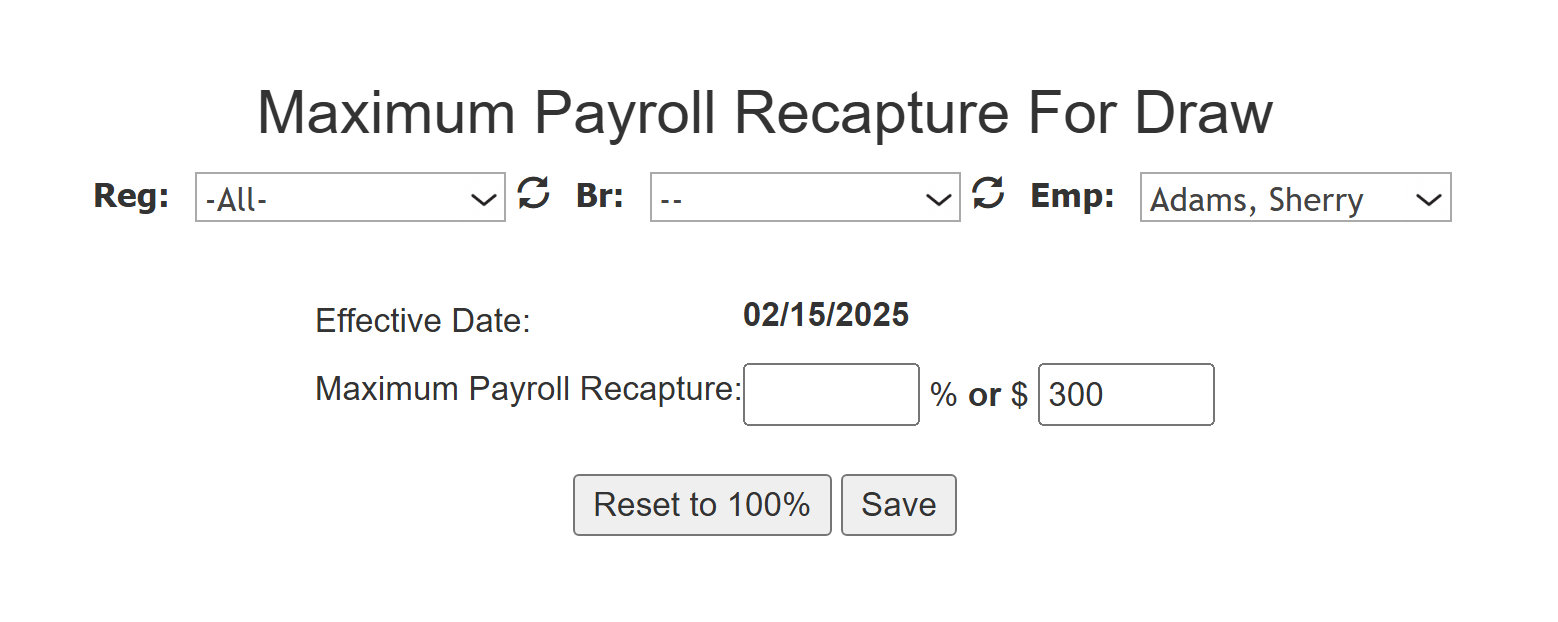
Sherry Adams' maximum payroll recapture amount is set to $300. The following table shows how the $300 maximum recapture setting impacts Sherry's pay and draw balance for three consecutive payroll periods.
| Draw Balance | Net Commission | Recaptured | Net Pay | New Draw Balance | |
|---|---|---|---|---|---|
| Pay Period 1 | $500 | $1,200 | $300 | $900 | $200 |
| Pay Period 2 | $200 | $300 | $200 | $100 | $0 |
| Pay Period 3 | $0 | $800 | $0 | $800 | $0 |
See also: