Set Product Loan Types
nCino Incentive Compensation allows admins to match loan products with specific loan types. Admins can create incentive plans that filter based on loan type in order to pay compensation based on selected loan types.
Minimum Compensation Access Level Required: Executive + Admin Checkbox
Access the Tool
To access the Product Loan Types tool, click:
-
The gear icon (
 ) in the nCino Incentive Compensation menu
 -
System Admin
-
Loans header
-
Set Product Loan Types
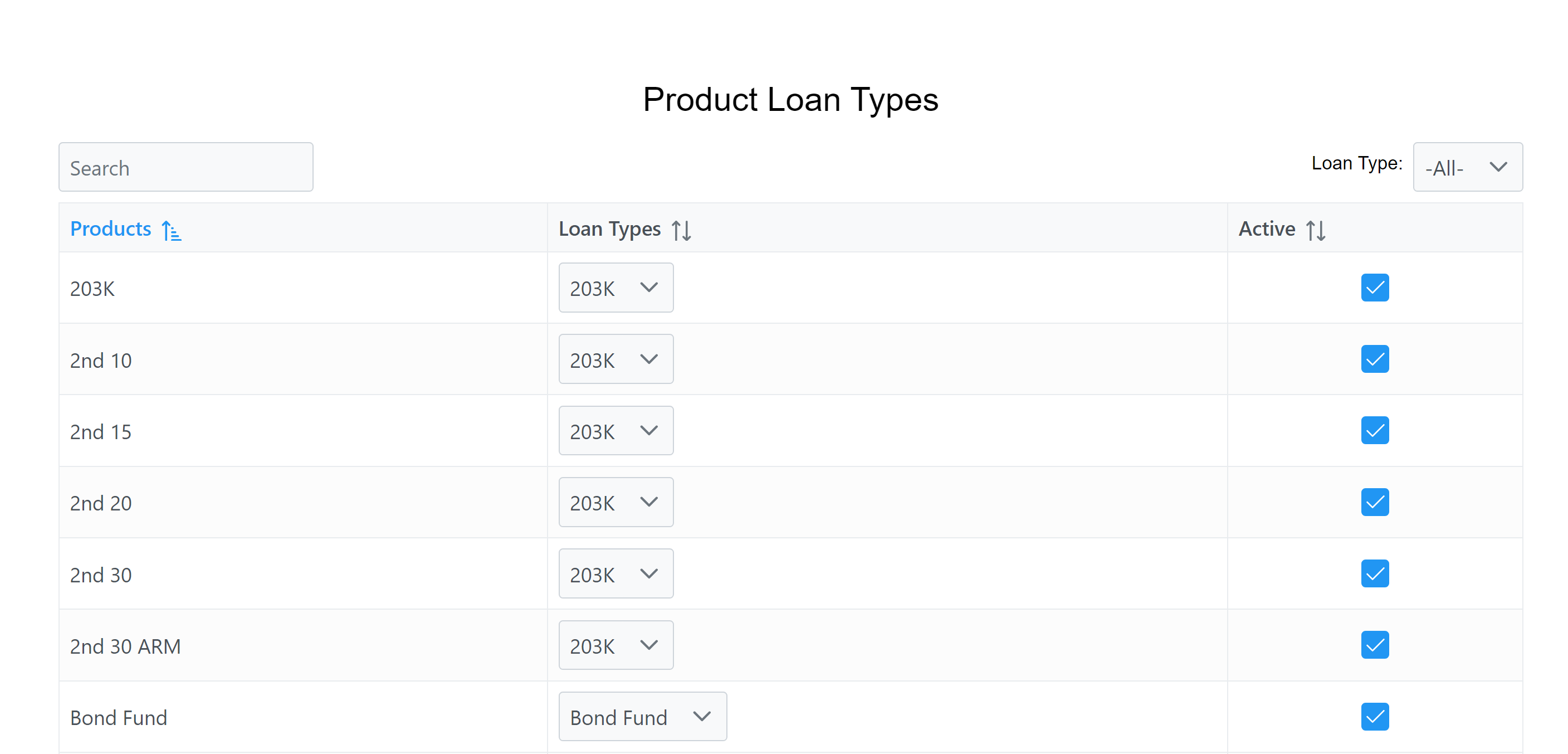
Use the Tool
When the system detects a new loan product, it is automatically added to this list. The system attempts to match it to a loan type, or it defaults to "Other" if it is unable to match.
To edit a product's loan type:
-
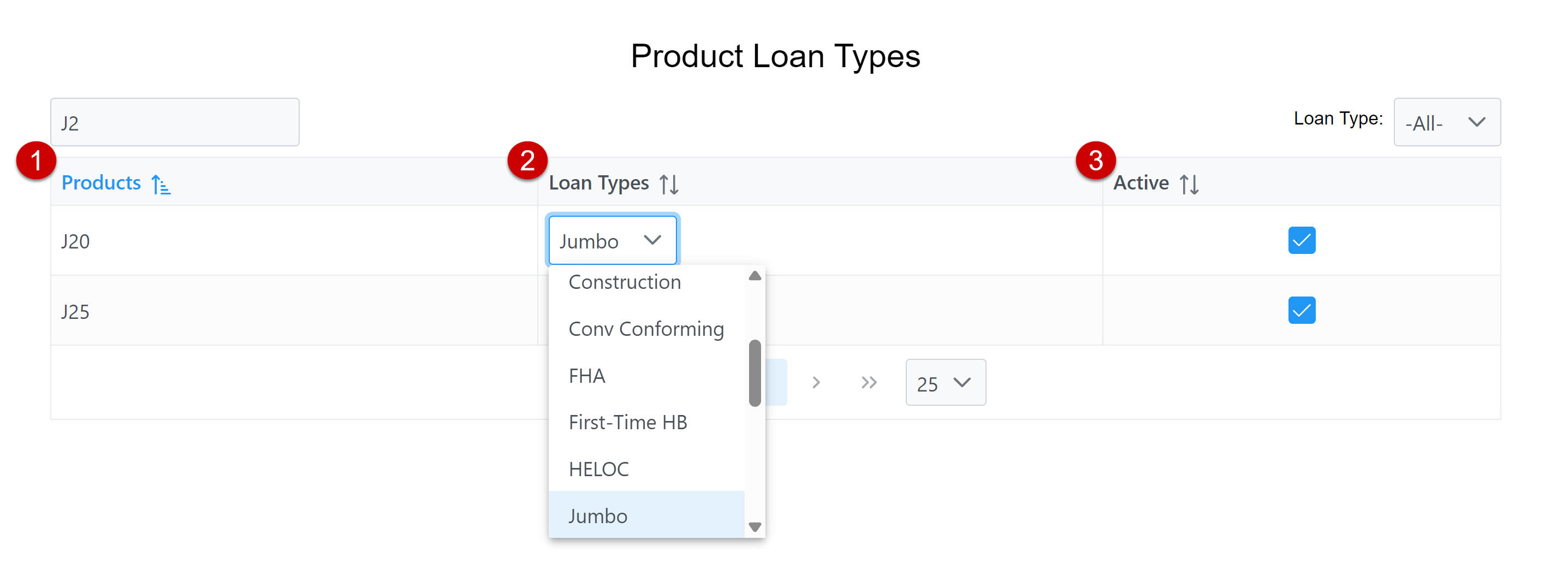
Navigate to the product name. Use the search box to find it by name.
-
Use the Loan Types dropdown menu next to the product to assign it a loan type.
-
Ensure the new loan type is set to Active.
See Also: