Set Loan Statuses in nCino Incentive Compensation
This article details the tool to map loan status from the loan origination system to a corresponding loan status in nCino Incentive Compensation.
Minimum Compensation Access Level Required: Executive
 ).
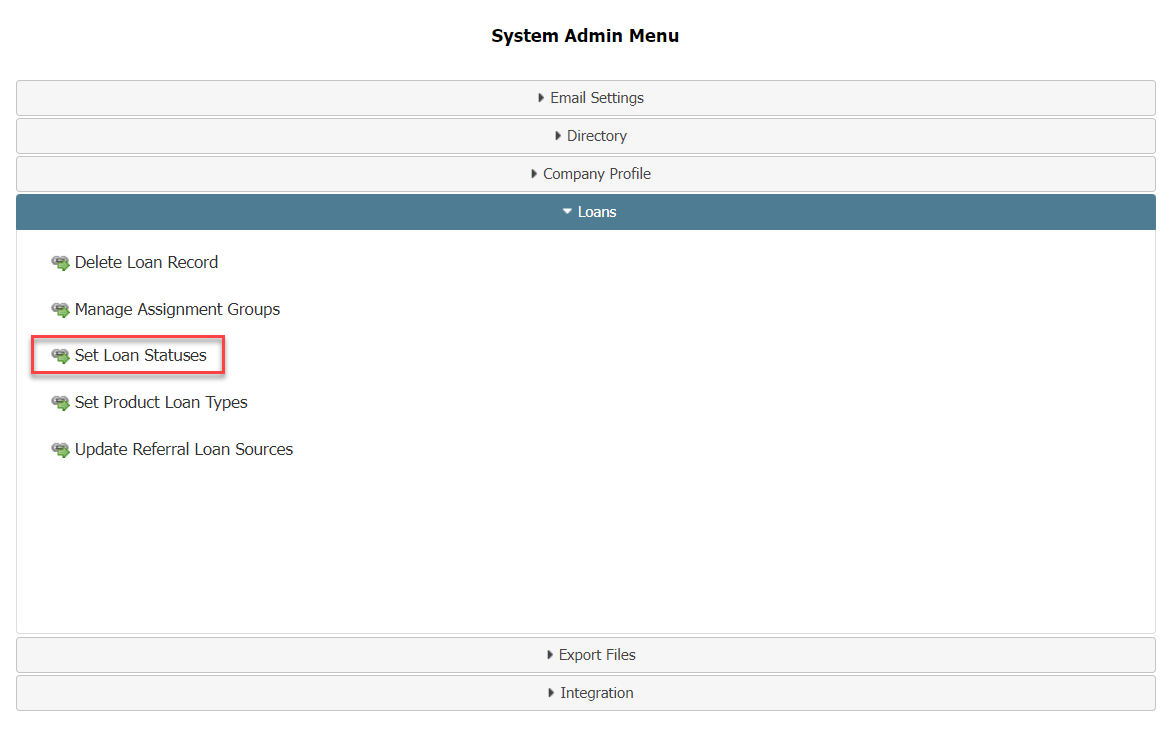
).
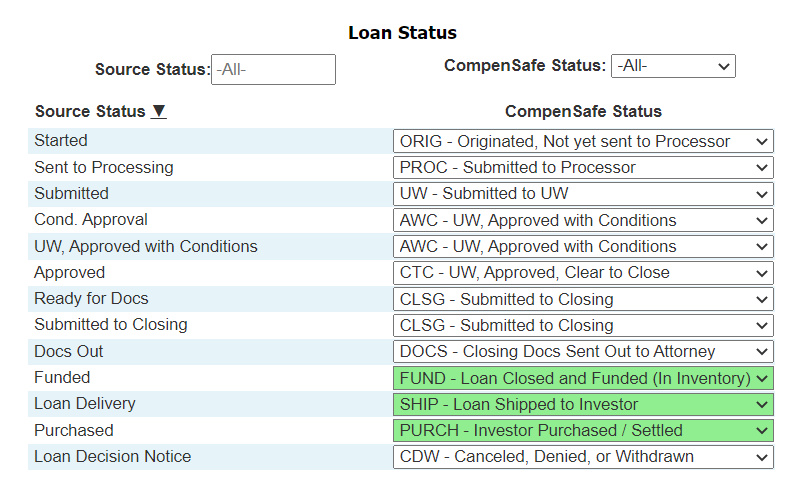
Search and filtering tools are located at the top of the page. They are as follows:
- Source Status: Search bar for finding statuses brought in from the LOS.
- nCino Incentive CompensationStatus: Dropdown for finding source statuses that map to the chosen nCino Incentive Compensation Status.
The main body of the page consists of a table with two columns. These columns are as follows:
- Source Status: Loan status brought in from LOS. Click the column header to sort the column.
- nCino Incentive Compensation Status: Dropdown to select which nCino Incentive Compensation status to map to the source status. When an option is selected, the setting will automatically save. Statuses highlighted in green are statuses where the loan will be considered Complete in nCino Incentive Compensation.