Trigger Date Determining Eligibility
In nCino Incentive Compensation, Trigger Dates are used to determine when a specific loan will pay on an employee’s compensation plan. These include Loan Eligible Dates (LEDs) and Payable-On Dates (PODs).
This article provides an overview of the nCino Incentive Compensation Trigger Dates and how they are used.
Intro to Trigger Dates (LEDs and PODs)
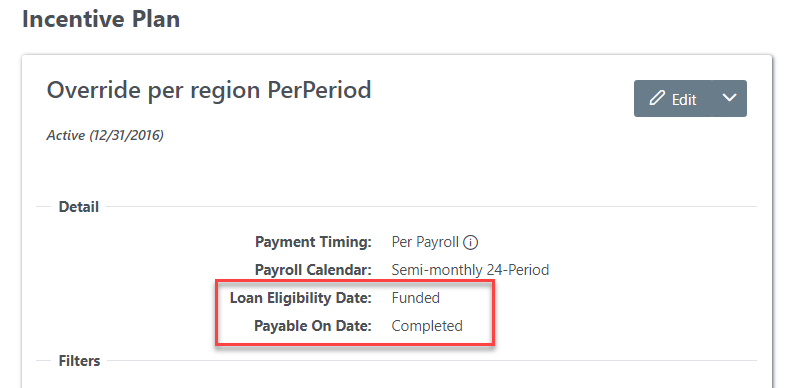
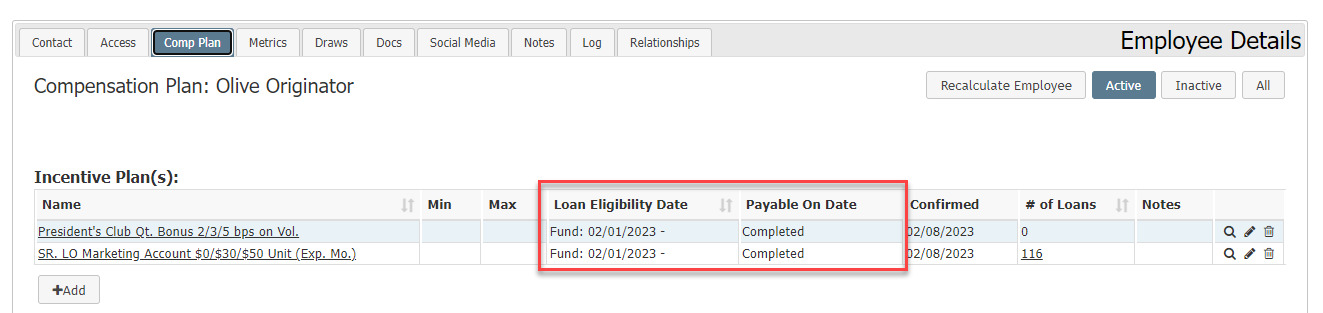
Each Incentive Plan has two Trigger Dates: the Loan Eligibility Date (LED) and the Payable-On Date (POD). The LED determines when the plan will apply to the loan. The POD determines on what pay date the plan will pay out. LEDs and PODs are associated with a loan milestone that is set when the plan is created or edited. A loan must reach the selected LED milestone while the plan is active in order to qualify for pay using that plan.
Using PODs and LEDs
When Creating an Incentive Plan
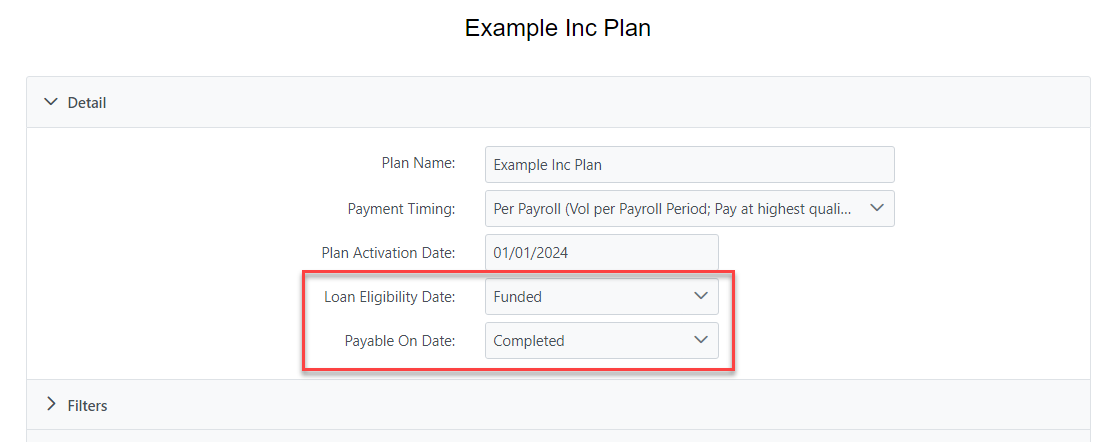
When creating an Incentive Plan, it is important that you set the LED and POD trigger dates correctly.
- Loan Eligibility Date (LED)
- Trigger date that indicates the milestone the loan must reach before being considered for the plan.
- Example: If the LED on an Incentive Plan is set to "Funded," the loan must reach its Funded milestone before being considered for the plan.
- Payable-On Date (POD)
- Trigger date that indicates the milestone the loan must reach before the Incentive Plan pays the employee.
- Note: "Funded", "Closing", and "Disbursed" milestone options require the loan to be Completed before paying compensation.
- Example: If the POD on an Incentive Plan is set to "Completed," the loan must reach its completed milestone before paying out to the assigned employee.
NOTE: When compensation will be paid to the employee after the loan has completed and locked down, both the Loan Eligibility Date (LED) and the Payable On Date (POD) triggers should be set to milestones that occur after the completed milestone.
When Assigning an Incentive Plan
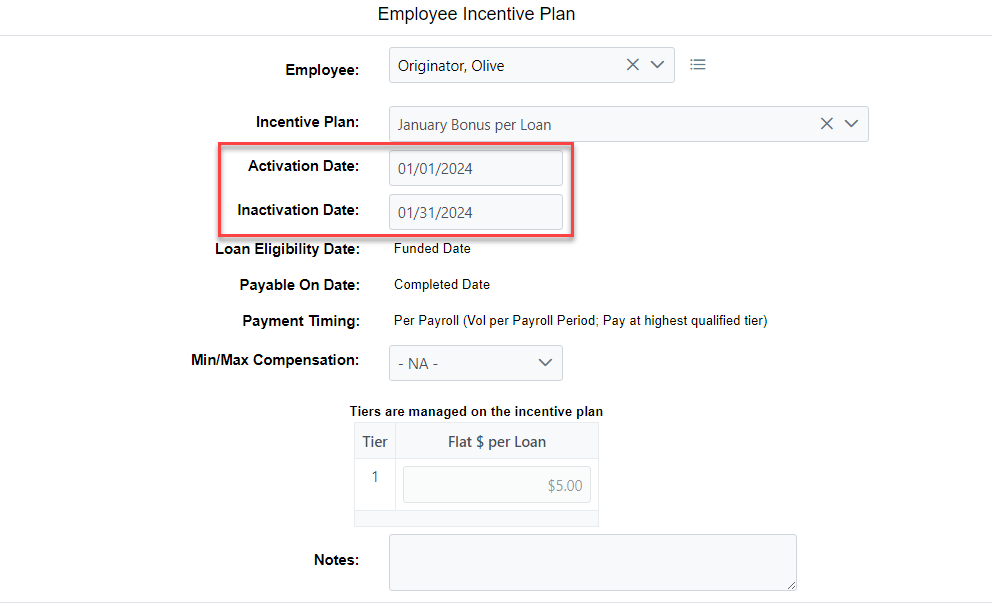
When assigning an Incentive Plan to an employee, the LED trigger date and the Activation and Inactivation dates are used by nCino Incentive Compensation to determine when an Incentive Plan should apply.
- Activation Date:
- This is the first day that the plan will check for loans that meet the plan's criteria, including the LED's milestone.
- Also known as "Start Date".
- Inactivation Date:
- If present, the plan will no longer check for loans that meet the plan's criteria once that date is reached.
- Also known as "Stop Date".
- NOTE: If a loan meets the LED's milestone prior to this date, it will still pay the employee once the loan reaches the POD's milestone. Because of this, you may see loans that pay on an inactivated plan if it met the LED's milestone prior to the inactivation date.
Managing LEDs and PODs
If you would like to add or remove milestones from the LED or POD options list, contact the nCino Incentive Compensation team at https://incentivehelp.ncino.com/hc/en-us.
Please include which milestones you would like to add or remove.
NOTE: In order for trigger dates to use a milestone, that milestones must be brought in through integration.
See also: