Verify Your Pay
For companies that use the Verify Pay feature, this article details how to verify your pay in nCino Incentive Compensation.
Minimum Compensation Access Level Required: Own Production
To Verify your pay,
- From the main nCino Incentive Compensation menu, click on “Payroll ▼".
- From the dropdown list click "Verify Pay".
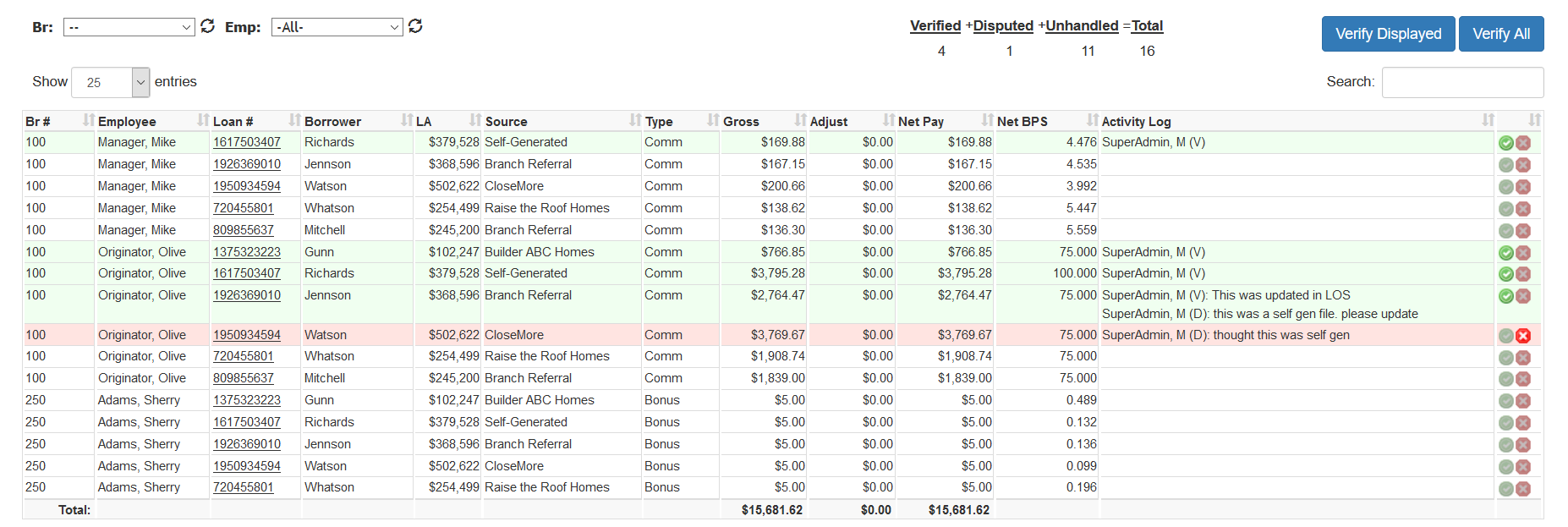
- Click the green checkmark if you agree with the compensation, click the red X if you wish to dispute the compensation.
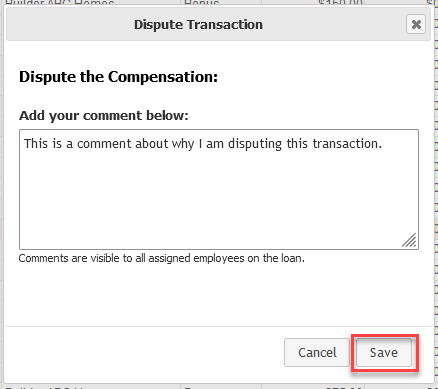
- If disputing, enter a comment in the pop up box with the reason why you are disputing the pay and click Save.
If you have any questions about your pay, please reach out to your payroll or HR department.
NOTE: This feature is not currently available in the nCino Incentive Compensation Mobile
See also: