How Do I Add an Adjustment or Recapture for a Draw?
To create an adjustment or recapture for a draw:
-
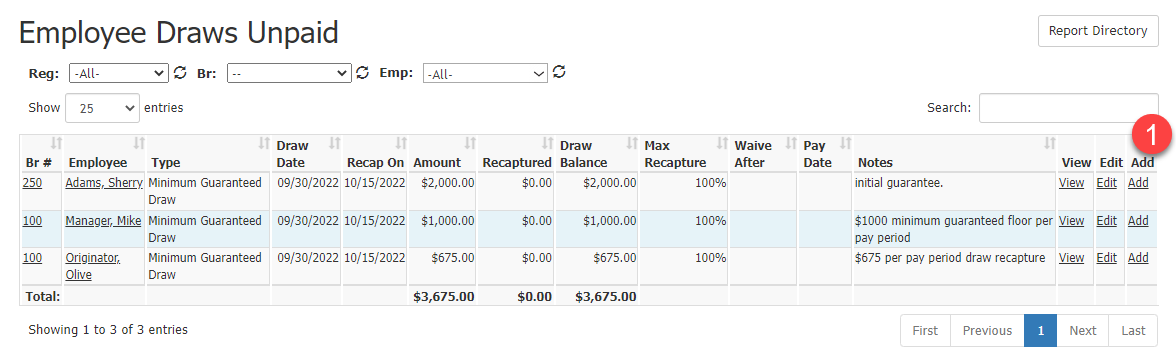
From the Employee Draws Unpaid report, click the Add button to the right of the loan you’d like to create an adjustment for. This will take you to the Add New Draw Adjustment page and populate the draw field automatically.
-
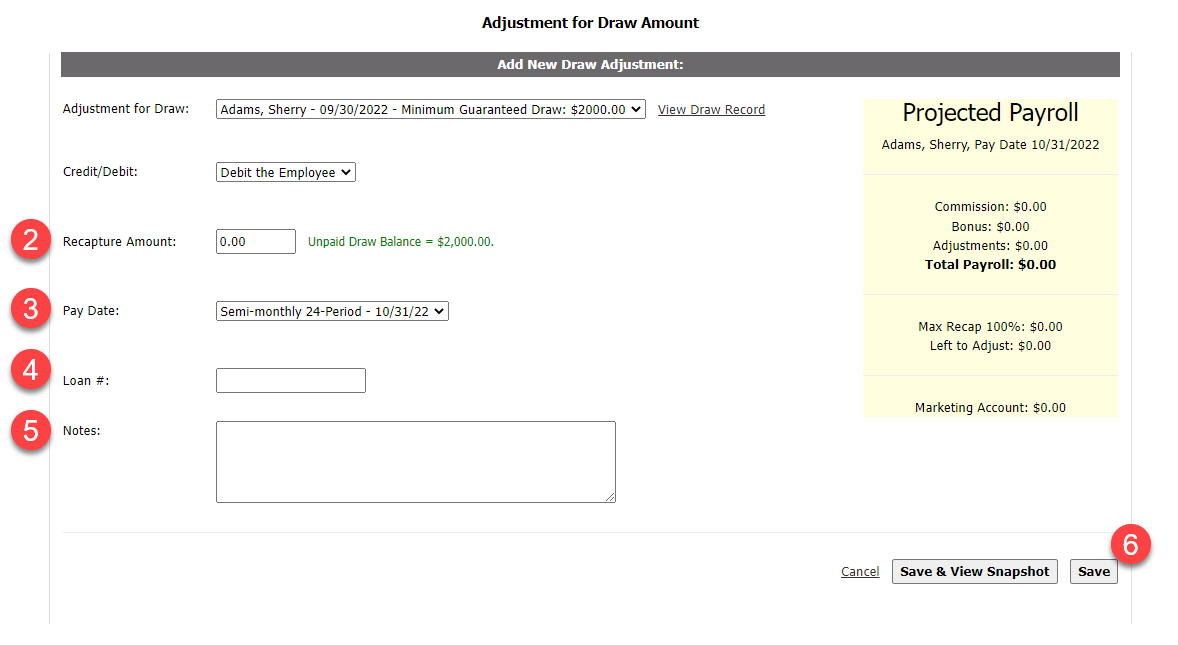
Enter the Recapture Amount for the adjustment.
-
Select the Pay Date the adjustment should post to.
-
(Optional) Enter the Loan # to associate with this adjustment.
-
(Optional) Enter any Notes to save to the adjustment.
-
Click Save to save the adjustment, or Save & View Snapshot to save the adjustment and go to the Comp Snapshot.
See also: