Build Auto Draws
This article details how to build auto draws, and includes descriptions of the options available when admins create or edit an auto draw. This includes a detailed explanation of individual settings and possible values for each, as well as several examples of how to use auto draws.
Minimum Compensation Access Level Required: Executive
Overview
An auto draw is a template for how the nCino Incentive Compensation system automatically creates draws when the selected criteria are met. You can use auto draws for a variety of purposes, such as:
-
Recapturable or non-recapturable draws
-
Guarantees, which include guaranteed minimums
-
Scheduled bonuses
Admins can create new auto draws from the menu by clicking Payroll > + New Auto Draw. Admins cannot create or edit auto draws while the system processes draws. Users with Master Branch access or higher can view a list of all auto draws from the Auto Draws Report.
Auto Draw Builder Parameters
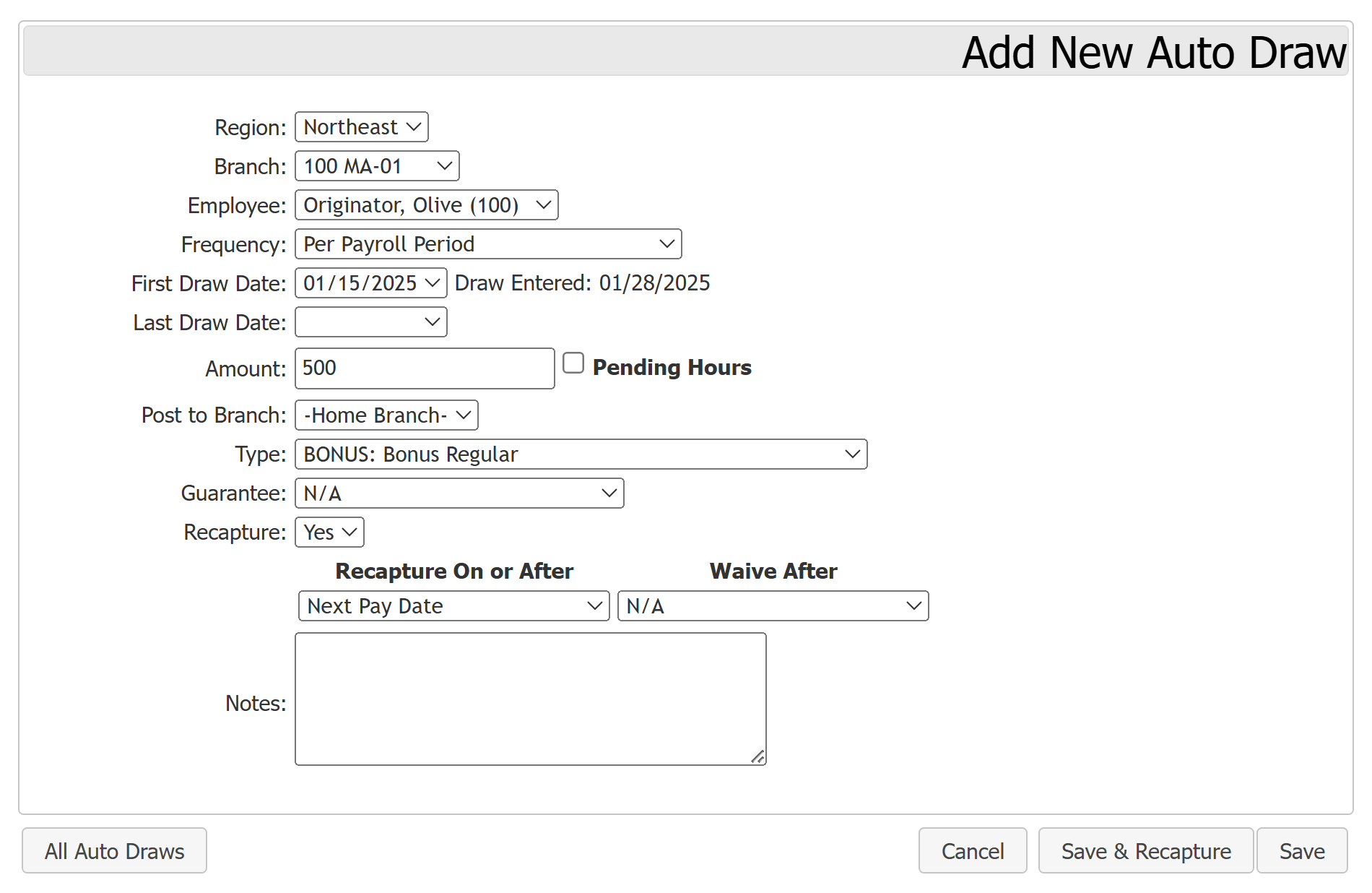
This section lists the available parameters admins can use to build an auto draw:
-
Region: List of company regions. Use to filter the branch selector.
-
Branch: List of branches in selected region. Use to filter the employee selector.
-
Employee: List of employees in the selected branch and region. This is the user who is assigned the auto draw.
-
Pay Calendar: Only visible if the company uses multiple pay calendars. Use to select which pay calendar the auto draw uses.
-
Frequency: How often the auto draw runs. For information on the options here, refer to Frequency Details.
-
First Draw Date: Pay date the auto draw first applies. Based on the selected first draw date, the system displays a "Draw Entered" date that is when the first draw records areentered so it pays at the selected date. If the selected first draw date is in the past, the Draw Entered field is today's date.
-
Last Draw Date: (Optional) Final pay date this auto draw runs.
-
Amount: Dollar amount for each draw.
-
Pending Hours: Select to use the Pending Hours feature to determine the value of each draw. If you use this feature, the Amount field must be blank. For more information, see Pending Hours Feature Overview.
-
-
Post to Branch: Use to select what branch the draw transactions post to. The "-Home Branch-" option always posts to the assigned user's home branch.
-
Type: Adjustment type the draw transactions posts as. Does not affect auto draw calculations.
-
Guarantee: Indicates if the auto draw is a guarantee, and what kind. For more information, refer to Guarantee Details.
-
Recapture: Indicates if the draws created by this auto draw can be recaptured. If your company has multiple calendars, you'll be able to select whether the system recaptures on each payroll calendar, or just per the one selected on the auto draw. For more information, see Recapture and Waive Details.
-
Notes: Text field to describe the auto draw. Does not affect draw calculations.
Frequency Details
Frequency determines how often the auto draw runs. Admins can see a preview of how each frequency functions in a given pay period using the Auto Draw Timing Report. For information on the terms used in this section, see Payroll Key Terms.
List of frequency options, with descriptions of when the auto draw runs with them selected:
-
Per Payroll Period: Each payroll period. Companies using 26 pay period calendars must use this frequency option for guaranteed minimums.
-
1st Period with Start Date in Month: Monthly, on the first period that has a start date in that month.
-
2nd Period with Start Date in Month: Monthly, on the second period that has a start date in that month.
-
1st Period with Stop Date in Month: Monthly, on the first period that has a stop date in that month.
-
2nd Period with Stop Date in Month: Monthly, on the second period that has a stop date in that month.
-
1st Pay Date of the Month: Monthly, on the period with the first pay date in that month.
-
2nd Pay Date of the Month: Monthly, on the period with the second pay date in that month.
-
Last Pay Date of the Month: Monthly, on the period with the last pay date in that month.
-
1st Pay Date After EOM: Monthly, on the first pay date after the end of the prior month. This ensures the draw always occurs in the last pay period of a month.
-
On Emp Terminated: On the first pay period after the employee's termination date. You must enter the employee's termination date manually in their profile for this to apply.
When you build a Monthly Guaranteed Minimum, these frequency options are available:
-
Starting 1st Payroll Period of Month: Employee is guaranteed half the amount in the first payroll period. The next payroll period, the whole amount of guarantee is compared to entire month’s compensation and paid out if needed for their monthly amount to equal the amount on the auto draw.
-
Starting 2nd Payroll Period of Month: Employee is guaranteed half the amount in the second payroll period. The next payroll period, the whole amount guaranteed is compared to the entire month and paid on the first payroll period of the following month if needed for their monthly amount to equal the amount on the auto draw.
Guarantee Details
Guarantees are a type of draw that describes a pay amount that an employee should always receive.
Guarantee options:
-
N/A: Auto draw does not create draws that are guarantees.
-
If an auto draw uses N/A guarantee and is recapturable, its draws only apply the values to the employee's draw balance. It does not credit the employee.
-
If an auto draw uses N/A guarantee and is non-recapturable, its draws credits the employee and does not affect their draw balance.
-
-
Guarantee: Only visible if the "Guarantee Recaptured in Same Period" Company Parameter is enabled. The auto draw creates a draw that pays a guarantee that other draws can recapture starting on the same date this draw is posted.
-
Guaranteed Minimum: The auto draw creates a draw that posts a credit to the employee if their compensation is less than the entered amount. Ensures that the employee's compensation is always greater than or equal to the entered amount. Balances created by this draw cannot be recaptured by other draws. Note: For clients using the 26 pay period calendar with this option, the frequency must be set to "Per Payroll Period" for this to function.
-
If the "Allow Net Pay Below Guaranteed Minimum" Company Parameter is set to True, transactions excluded from minimum pay calculations can cause the employee's net pay to be below this minimum.
-
-
Monthly Guarantee: Only visible if the "Guarantee Recaptured in Same Period" Company Parameter is enabled. The auto draw creates draws that behave as follows: on each payroll period of the month, the draw pays a guarantee equal to half the entered amount that other draws can recapture starting on the same date this draw is posted.
-
Monthly Guaranteed Minimum: Only available for companies using a 24-pay period calendar. Auto draw creates draws that are a guaranteed minimum per month. On the first payroll period of the month, if the employee's pay is less than half the entered amount, the system creates a transaction to bring them up to half the entered amount. On the second payroll period of the month, if the employee's pay for the whole month is less than the entered amount, the system creates a transaction to bring them up to the entered amount.
-
If the "Allow Net Pay Below Guaranteed Minimum" Company Parameter is set to True, transactions excluded from minimum pay calculations can cause the employee's net pay to be below this minimum.
-
-
Recapturable Credit: The auto draw creates draws that are an advance that the system recaptures based on the Recapture On or After date entered.
Recapture and Waive Details
The recapture and waive sections describe how the system handles the draw balance after each draw posts. If a draw can be recaptured, the system attempts to recapture its draw amount from the employee's pay starting on the Recapture On or After Date. After the Waive Date, the system no longer attempts to capture any draw balance remaining from the draw.
You can set the Waive After dates before the matching Recapture date. If the Waive After date is before the Recapture date, the system does not recapture the draw. If the Auto Draw is updated with this setting, it does not automatically update the draw transactions or remove any recaptures.
Recapture On or After options:
-
N/A: There are no recaptured draws.
-
Same Pay Date: Draws are eligible for recapture on the pay date they post.
-
Next Pay Date: Draws are eligible for recapture on the next pay date.
-
Last Pay Date EOM: Draws are eligible for recapture on the last pay date of the month they post.
-
First Pay Date after EOM: Draws are eligible for recapture on the first pay date after the end of the month they post.
-
Second Pay Date after EOM: Draws are eligible for recapture on the second pay date after the end of the month they post.
-
+# Pay Date: Draws are eligible for recapture the listed number of pay dates after the draw posts.
-
Last Pay Date for Auto Draw: Draws are eligible for recapture on the last pay date the auto draw activates.
-
Emp Terminated: Draws are eligible for recapture on the first pay date after an employees termination. The employee must have an assigned termination date on their profile for this to function.
-
Last Pay Period EOM: Draws are eligible for recapture on the payroll period that contains the end of the month they post.
Waive After options:
-
N/A: Draws are not waived. They remain as a draw balance until recaptured or manually waived by a payroll administrator.
-
Same Pay Date: Draws waive one day after the pay date they post.
-
Next Pay Date: Draws waive one day after the next pay date.
-
Last Pay Date EOM: Draws waive one day after the last pay date of the month they post.
-
First Pay Date after EOM: Draws waive one day after the first pay date after the end of the month they post.
-
Second Pay Date after EOM: Draws waive one day after the second pay date after the end of the month they post.
-
+# Pay Date: Draws waive one day after the listed number of pay dates after the draw posts.
-
Last Pay Date for Auto Draw: Draws waive one day after the last pay date the auto draw activates.
-
Emp Terminated: Draws waive one day after the first pay date after the employees termination. The employee must have an assigned termination date on their profile for this to function.
-
Last Pay Period EOM: Draws waive one day after the payroll period that contains the end of the month they post.
Example Use Cases
Example 1: Recapturable Draw
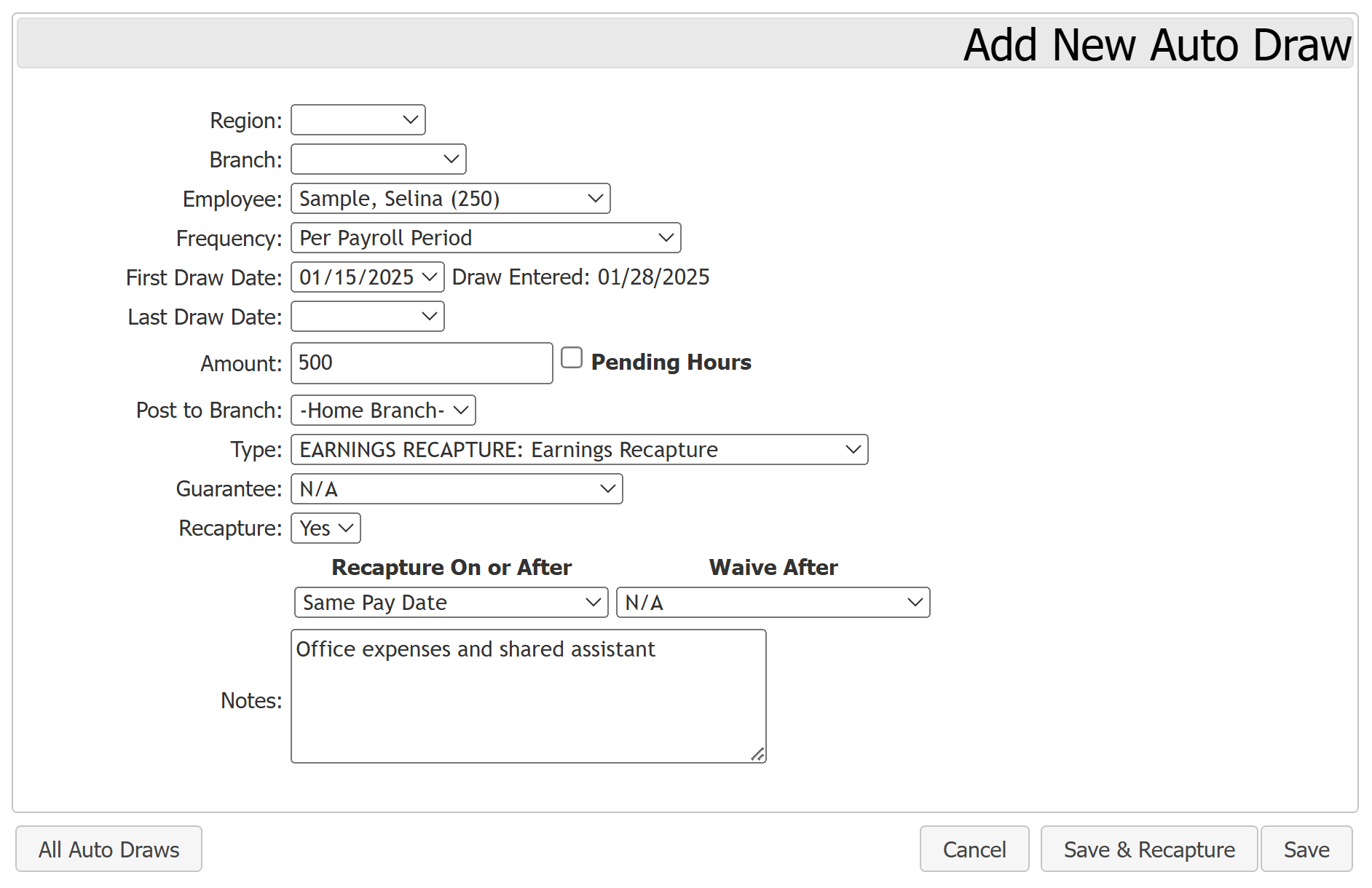
Selina is required to contribute $500 per payroll period to cover the cost of office expenses and a shared assistant. If she does not have enough earnings to cover the cost, the balance is carried forward and the system attempts recapture starting on the following payroll period.
An auto draw set up to cover this could use the following options:
- Frequency: Per Payroll Period
- Amount: $500
- Post to Branch: – Home Branch –
- Type: EARNINGS RECAPTURE: Earnings Recapture
- Guarantee: N/A
- Recapture: Yes
- Recapture on or After Date: Same Pay Date
- Waive After: N/A
This auto draw performs as follows:
- Each payroll period, the system uses the auto draw to create a draw transaction the day after the prior payroll period's Pay Date - Actual. This draw transaction increases the draw balance by $500.
- The system attempts to recapture as much of the current draw balance from the employee's compensation that payroll period as possible.
- Any remaining draw balance carries over to the next payroll period and beyond (since there is no Waive After date).
Example 2: Non-Recapturable Payroll Adjustment Draw
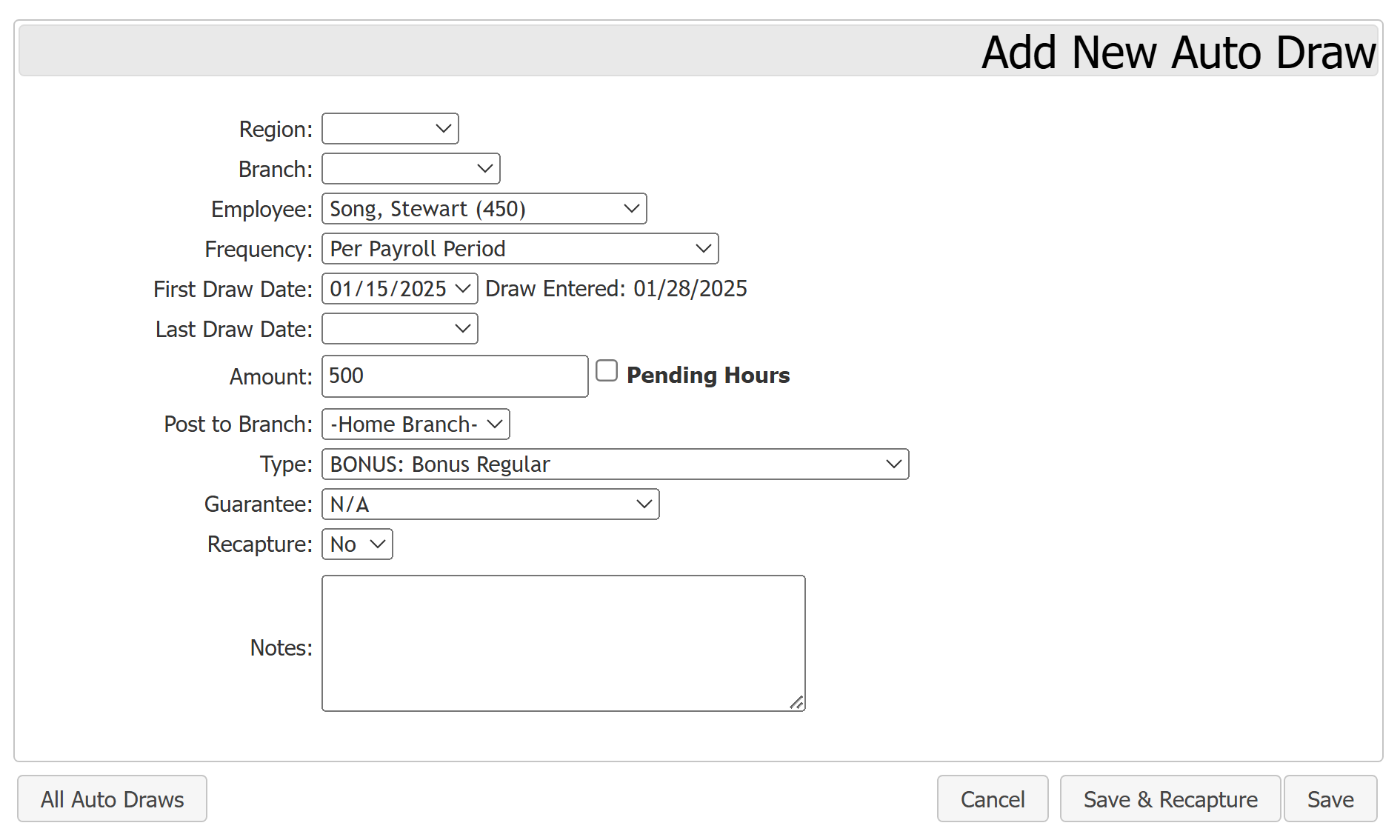
Stewart's manager wants him to receive a flat $500 bonus each payroll period. One way to set this up is with an auto draw.
An auto draw set up for this could use the following options:
- Frequency: Per Payroll Period
- Amount: $500
- Post to Branch: – Home Branch –
- Type: BONUS: Bonus Regular
- Guarantee: N/A
- Recapture: No
This auto draw performs as follows:
- Because this is not a guarantee, an no recapture effort happens, it ONLY creates a payroll transaction. It does not affect the draw balance.
- Each payroll period, the Auto Draw creates a payroll transaction for $500 the day after the prior payroll period's Pay Date - Actual.
Example 3: Recapturable Guaranteed Minimum
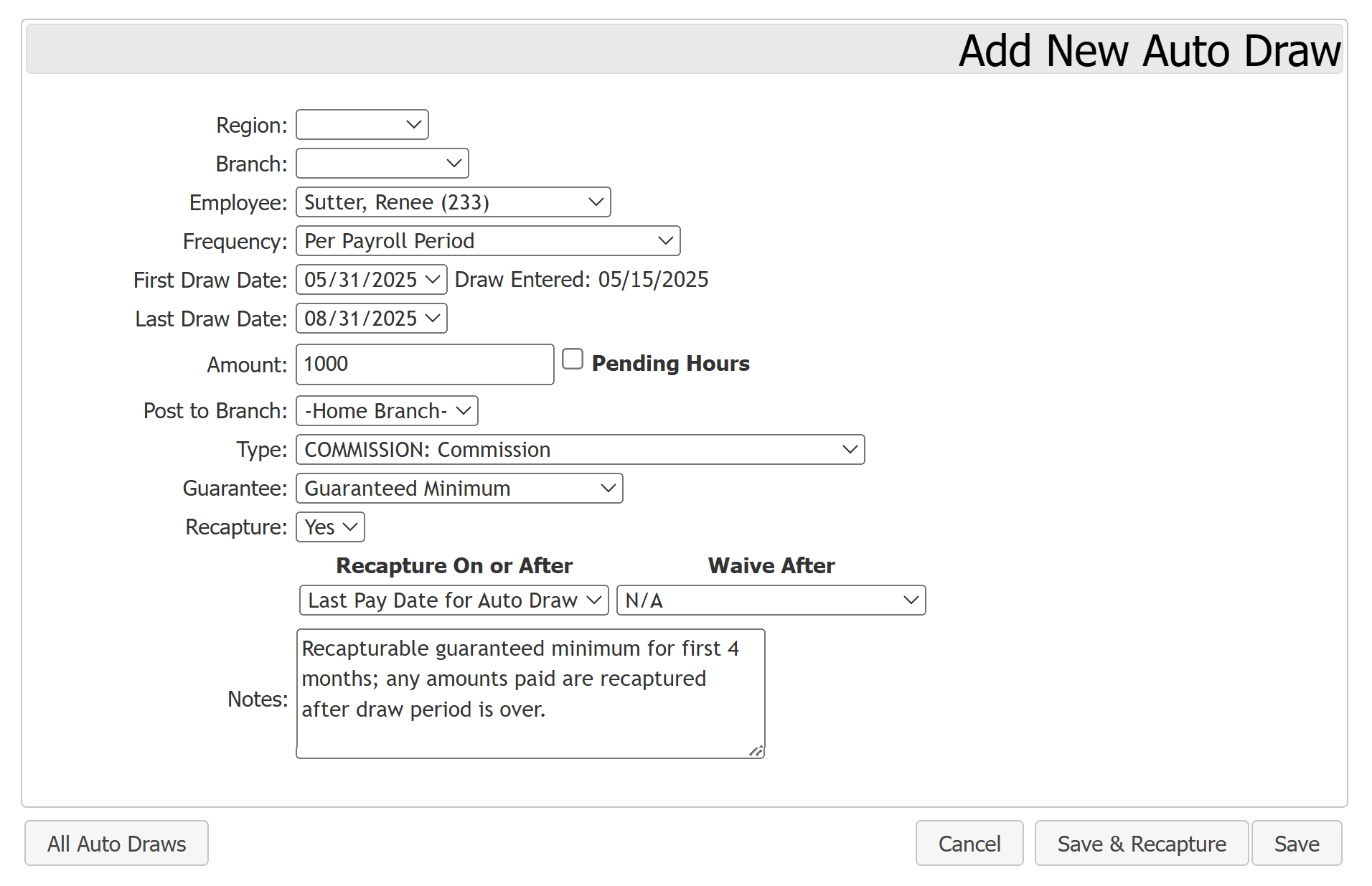
Renee's compensation agreement states that she receives a guaranteed minimum amount of $1000 per payroll period for the first four months of employment. It also states that any guaranteed minimum paid during the draw period is due back to the company after the draw period completes. Renee's company pays twice a month, so the draw period covers eight payroll periods.
An auto draw set up for this could use the following options:
- Frequency: Per Payroll Period
- First Draw Date: 05/31/2025(Date Renee was hired)
- Last Draw Date: 08/31/2025(Company's pay date for the fourth payroll period after Renee was hired)
- Amount: $1000
- Post to Branch: – Home Branch –
- Type: COMMISSION: Commission
- Guarantee: Guaranteed Minimum
- Recapture: Yes
- Recapture on or After Date: Last Pay Date for Auto Draw
- Waive After: N/A
- Notes: Recapturable guaranteed minimum for first 4 months; any amounts paid are recaptured after draw period is over.
This auto draw performs as follows:
- Each payroll period, the system uses the auto draw to create a guaranteed minimum draw for upcoming payroll period the day after the prior payroll period's Pay Date - Actual.
- When an admin uses the Process Unpaid Draws button, or the system automatically processes unpaid draws, the system looks at the employee's overall compensation for the period. If their compensation is below $1000, it creates a draw transaction.
- The draw transaction is equal to ($1000 – Total Compensation). The employee receives this amount as credit and is added to the draw balance.
- On the auto draw's last pay date, it recovers as much of the draw balance as possible. Any remaining amount is carried over. This repeats each payroll period until there is no remaining draw balance from this auto draw.
Example 4: Non-Recapturable Guaranteed Minimum
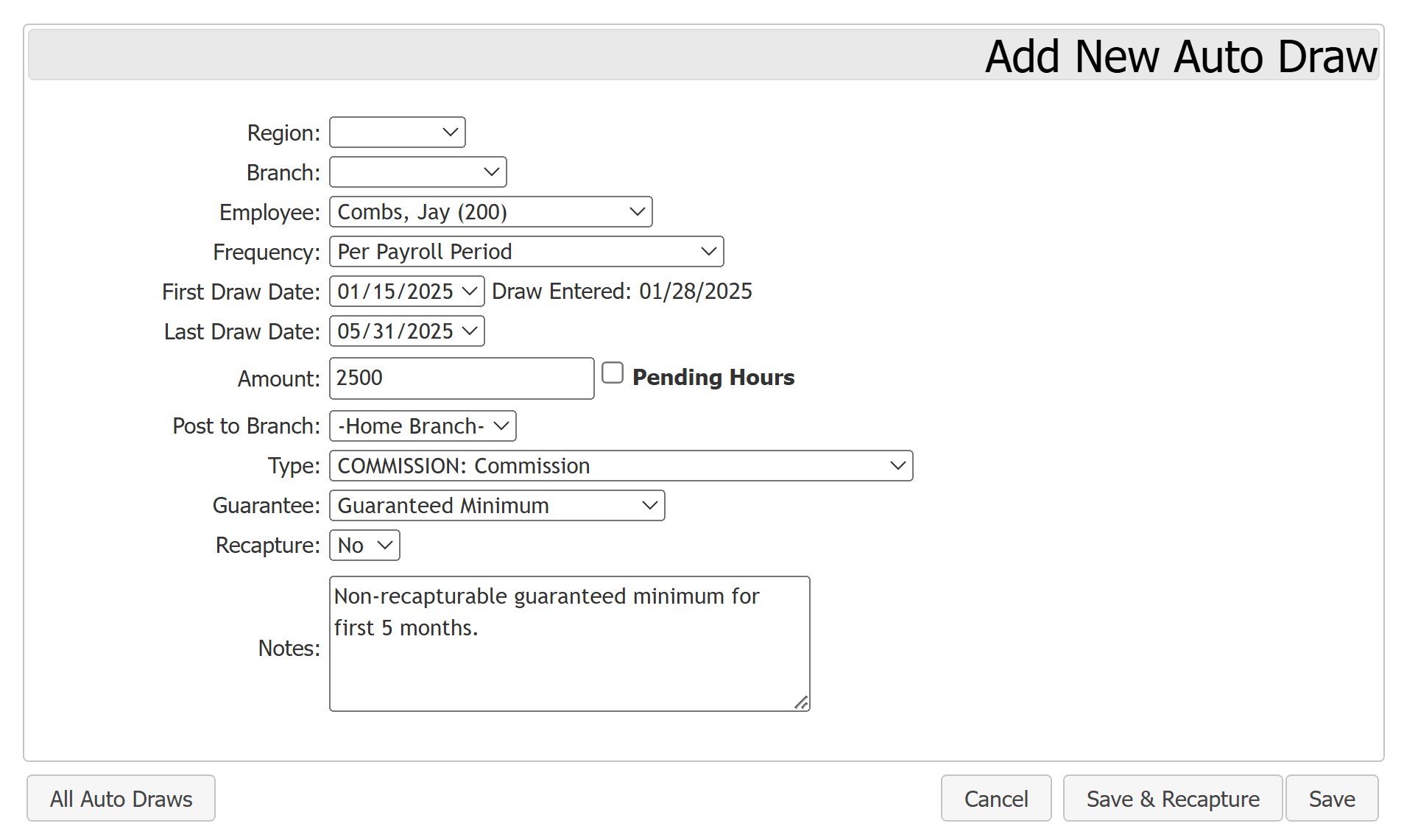
Jay begins work on the first month of the year. Part of his agreement states that he receives a guaranteed minimum of $2500 per payroll period for the first five months of employment. Any guaranteed minimum amount paid during the draw period is not owed back to the company.
An auto draw set up for this could use the following options:
- Amount: $2500
- Frequency: Per Payroll Period
- First Draw Date: 01/15/2025
- Last Draw Date: 05/31/2025
- Type: COMMISSION: Guaranteed Minimum
- Guarantee: Guaranteed Minimum
- Post to Branch: – Home Branch –
- Recapture: No
- Notes: Non-recapturable guaranteed minimum for first 5 months.
This auto draw performs as follows:
- Each payroll period, the auto draw looks at the employee's overall compensation for the period. If their compensation is below $2500, it creates a draw transaction.
- The draw transaction is equal to ($2500 – Total Compensation). This amount is credited to the employee.
- Since this is not recaptured, it is not added to the draw balance.
Example 5: Monthly Guaranteed Minimum
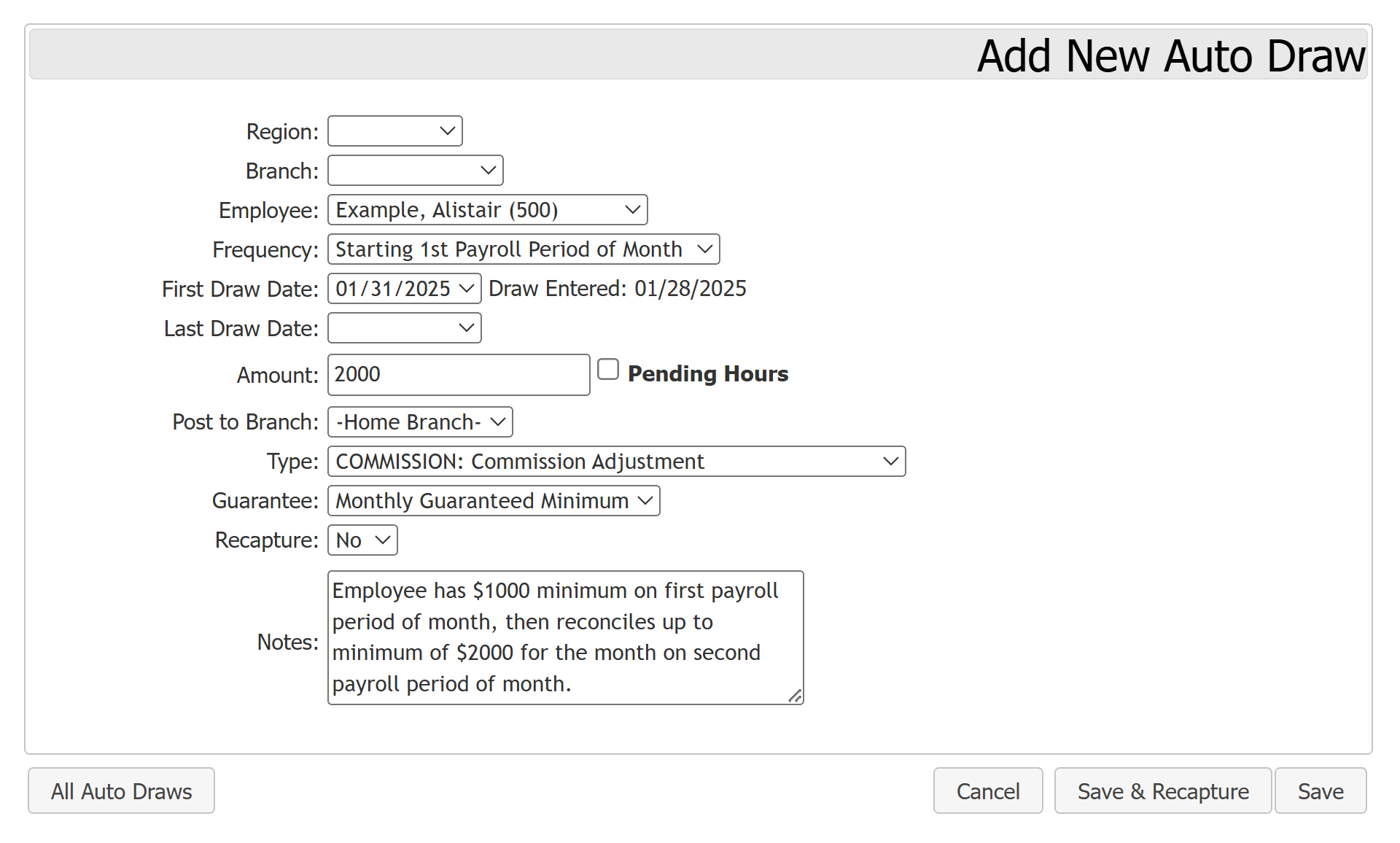
Alistair's company uses a 24-period payroll calendar. Alistair's compensation agreement states that he has a monthly guaranteed minimum of $2,000. An auto draw could be set up for this with the following options:
- Frequency: Starting 1st Payroll Period of Month
- First Draw Date: 01/31/2025
- Last Draw Date: [Blank]
- Amount: $2000
- Post to Branch: -Home Branch-
- Type: COMMISSION: Commission Adjustment
- Guarantee: Monthly Guaranteed Minimum
- Recapture: No
- Notes: Employee has $1000 minimum on first payroll period of month, then reconciles up to minimum of $2000 for the month on second payroll period of month.
This auto draw performs as follows:
-
On the first payroll period of the month, if Alistair's pay is less than half the auto draw amount ($1,000), the system creates a draw to bring his total pay up to that amount.
-
On the second payroll period of the month, if Alistair's total pay for the month is less than the auto draw amount ($2,000), the system creates another draw to ensure Alistair's total pay is at least $2,000.
See also:
- Glossary
- Set Company Adjustment Types – Includes settings for Guaranteed Minimums
- Understand Draws and Auto Draws
- Build Draws