Employee Level Loan Compensation Max Cap
Employees each have a space for a personal maximum cap per loan on their employee profile. This article details how these max caps calculate, and how to manage them.
Overview
Admins can set employee max cap per loan in the Comp Plan tab of the Employee Details screen.
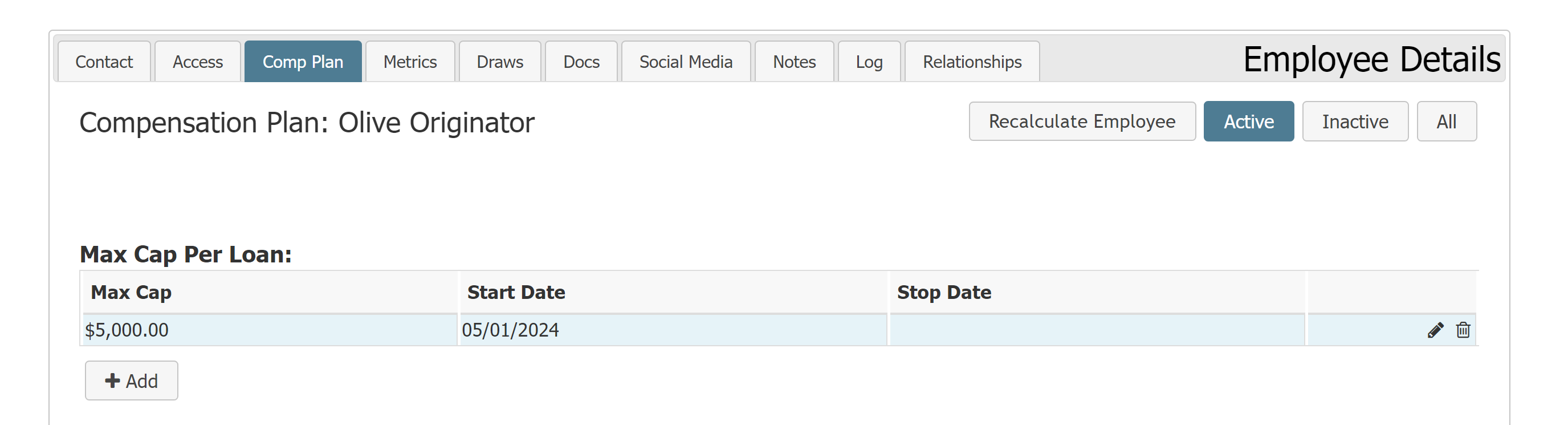
Employee max caps consist of the following data:
-
Max Cap: Maximum dollar amount the employee can receive per loan. This is the maximum amount an employee can receive after the system calculates all incentive plans and adjustments that are subject to the max cap on the loan.
-
Start Date: Date the max cap began.
-
Stop Date: Date the max cap ended (optional).
Employee max caps per loan are distinct from plan assignment max caps. When the system calculates max caps, it applies the per-assignment max caps, and then the employee max caps per loan.
Manage Employee Max Cap
Add New Employee Max Cap
-
Navigate to the Comp Plan tab of an employee's Employee Details screen.
-
In the Max Cap Per Loan section, click + Add.
-
In the window that appears, enter the Max Cap Amount and Start Date. If you know when this max cap will end, you can also enter a Stop Date.
-
Click Save.
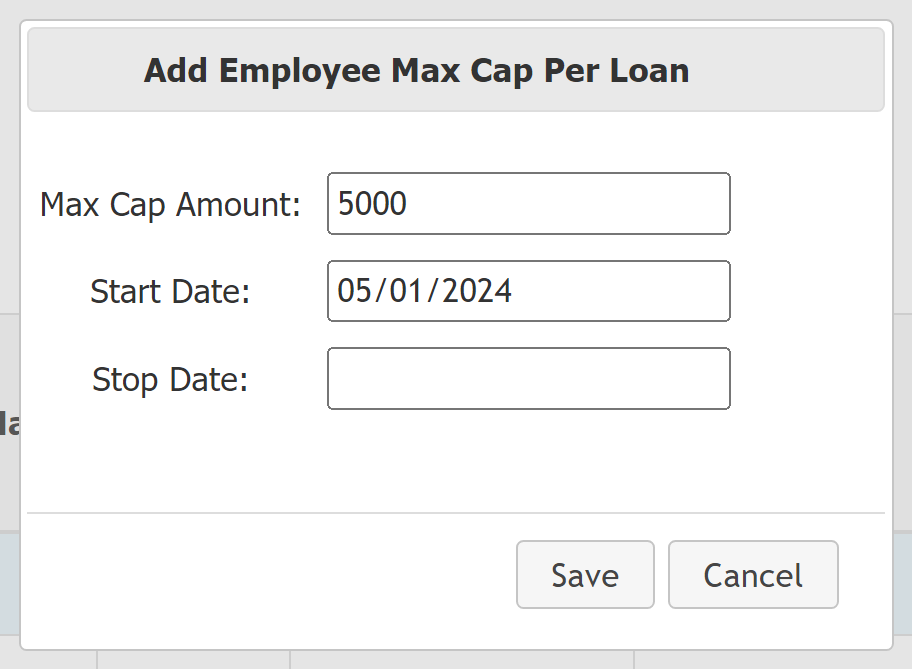
Once an employee's max cap is saved, you can use the Recalculate Employee button to immediately apply the cap to the current payroll period.
Modify Current Cap
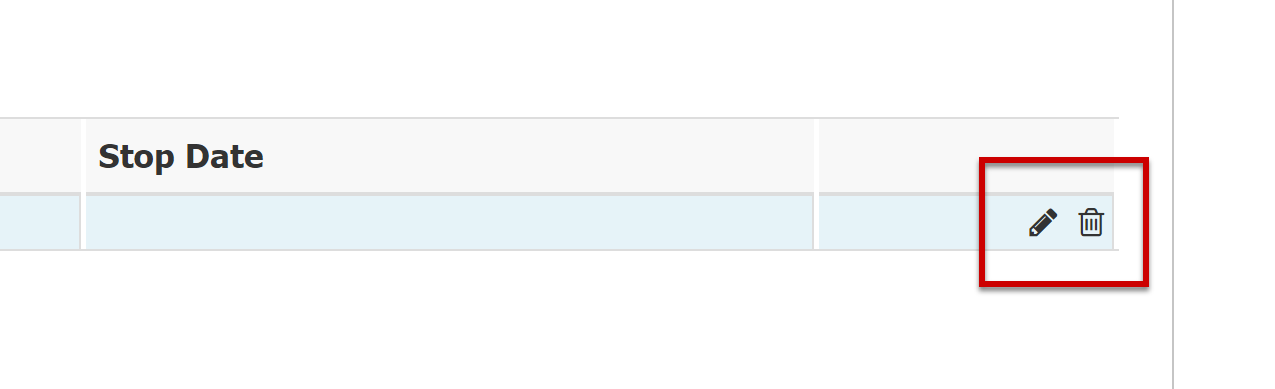
Use the buttons by the max cap to modify it.
-
To edit a max cap, click the pencil icon (
 ).
). -
To delete a max cap, click the trash can icon (
 ).
).
Select Which Payroll Items Count Toward Employee Max Cap
Mark specific payroll items to include them in max cap considerations.
Plan Assignment
When you assign an Incentive Plan to an employee, select the Subject to Employee Max Cap checkbox for it to factor into that employee’s max cap.
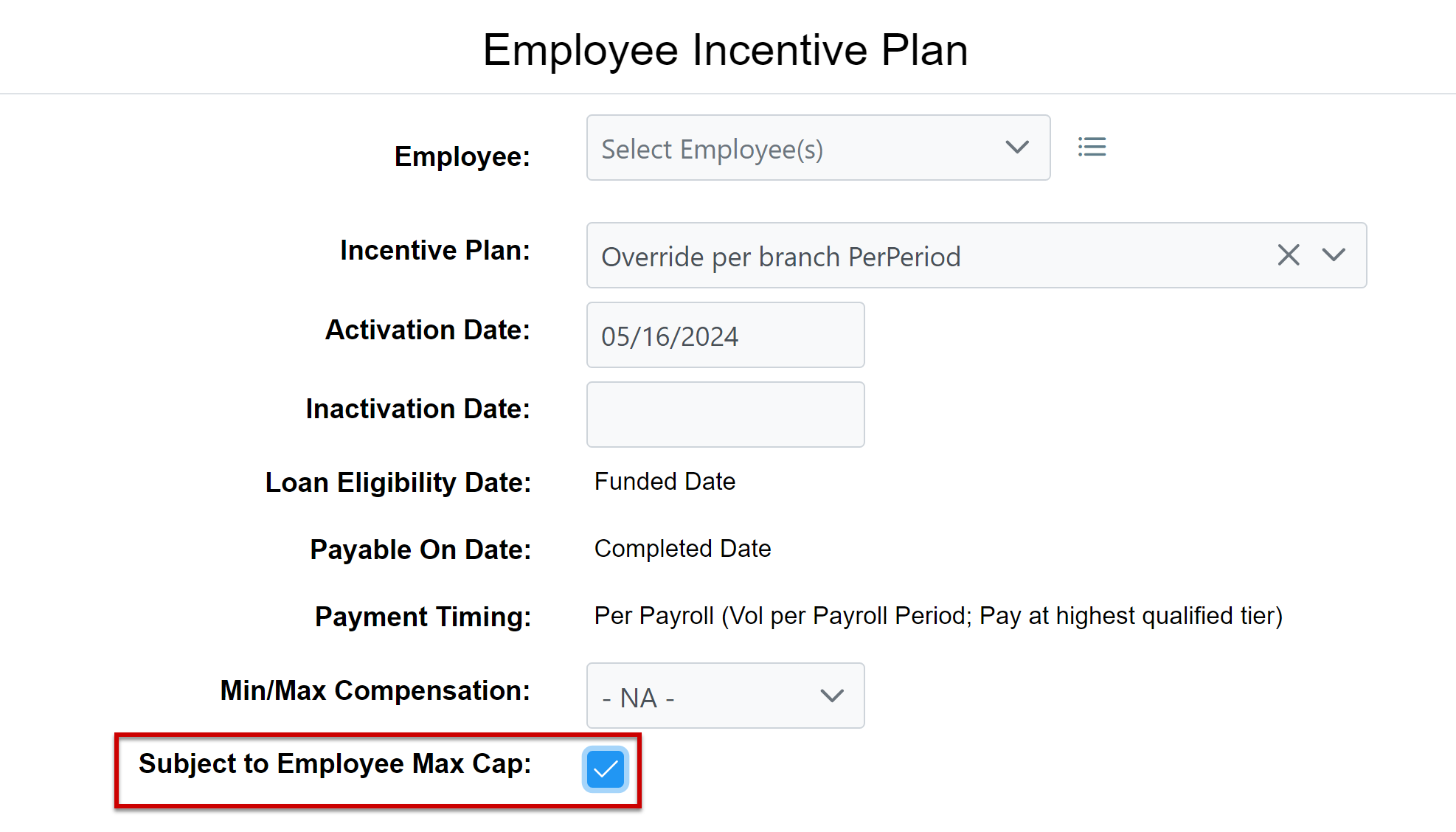
When an employee's plan assignment counts toward their max cap per loan, the "Max Cap Per Loan" column will have a checkbox for that assigned incentive plan.

Manual Adjustment
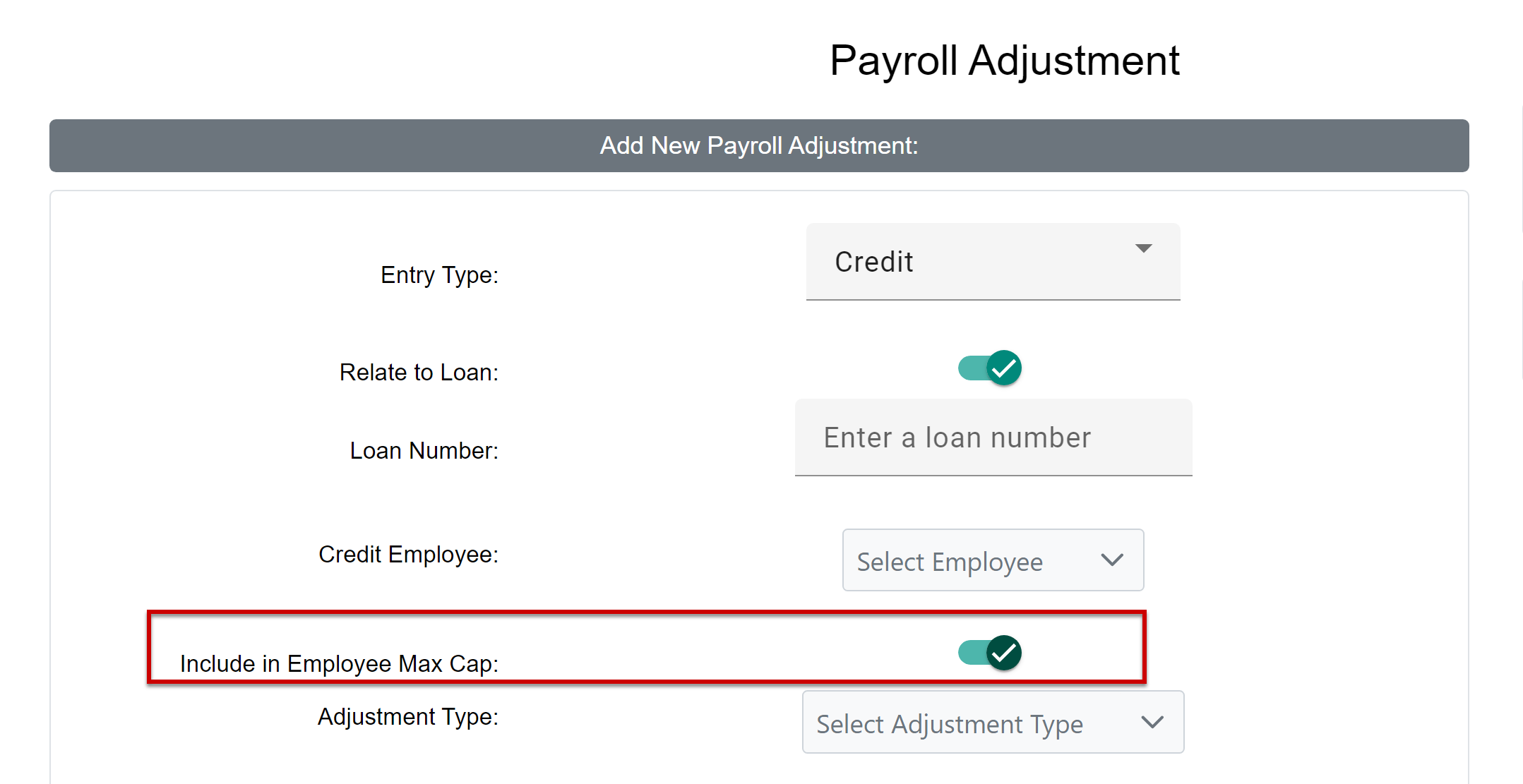
When you create a new payroll adjustment or held adjustment that is related to a specific loan, select the Include in Employee Max Cap option for it to factor into that employee’s loan max cap.
Note: The system does not include adjustments made to locked payroll periods in employee max caps.
See Also: