Employees without an Active Assigned Compensation Plan
The Employees Without an Assigned Compensation Plan report lists employees who are expected to have an active compensation plan based on their position, but do not. This is useful to ensure employees are being paid as they should.
Minimum Compensation Access Level Required: Executive.
Access the Report
To access this report,
-
From the nCino Incentive Compensation menu, click Report ▼.
-
Click All.
-
Click the Payroll Audit header.
-
Click the Employees Without an Active Assigned Compensation Plan report.
Read the Report
This report includes the following filters / display options:
-
Region, Branch, and Employee Filtering Tool: Used to filter the information on the report. For information on using this tool, refer to How do I filter reports?.
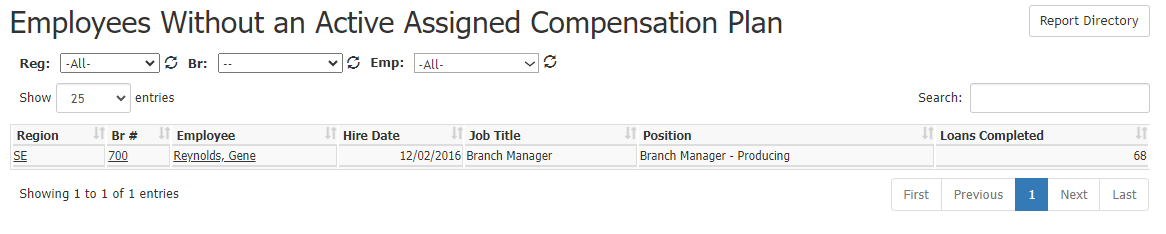
This report contains the following columns:
-
Region: Abbreviation of employee's region. Click to view region details.
-
Br #: Employee's branch number. Click to view branch details.
-
Employee: Employee name. Click to view employee details.
-
Hire Date: Date employee was hired.
-
Job Title: Employee's title.
-
Position: Employee's nCino Incentive Compensation position.
-
Loans Completed: Total number of loans completed that have the employee assigned to them.
Export the Report
This export includes the following additional columns:
To export this page, click the export icon.

-
Emp #: Employee number for the employee.
-
Setup Date: Date employee was entered into nCino Incentive Compensation.
See Also