View User Access Level Permissions
This article details how to check User Access Level Permissions for yourself and for other users.
 )to go to your Employee Details Page.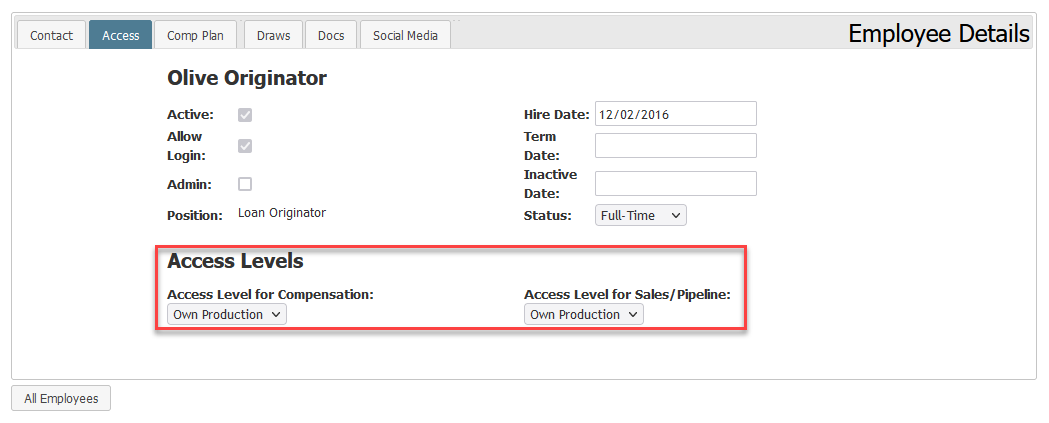
To view User Access Level Permissions for other users, the following must be true:
- You must have an Access Level of at least Sub-Branch.
- For more information on Access Levels, see the following article: Access Levels Explained
- For more information on Access Levels, see the following article: Access Levels Explained
- The user you're attempting to view must be in your assigned branch and/or region.
Assuming all of the above are true, you can view the employee’s Access Level by going to their Employee Details Page.
To see the Access Levels of multiple employees at once, you can use the Employee Access Level and Hierarchy Report. For more information, see the following article: Employee Access Level and Hierarchy Report
See also: