Manual Disbursement Tool Overview
The Manual Disbursement page is a tool where users can request to allocate their compensation to others. This article describes the tool in detail.
Note: Pages related to Manual Disbursements are only visible in your site if you have Manual Disbursements enabled. If you would like to enable Manual Disbursements, contact https://incentivehelp.ncino.com/hc/en-us.
Access the Tool
To access this tool, from the nCino Incentive Compensation menu, click:
- Payroll ▼
- Manual Disbursement
Use the Tool
Debit Employee Section
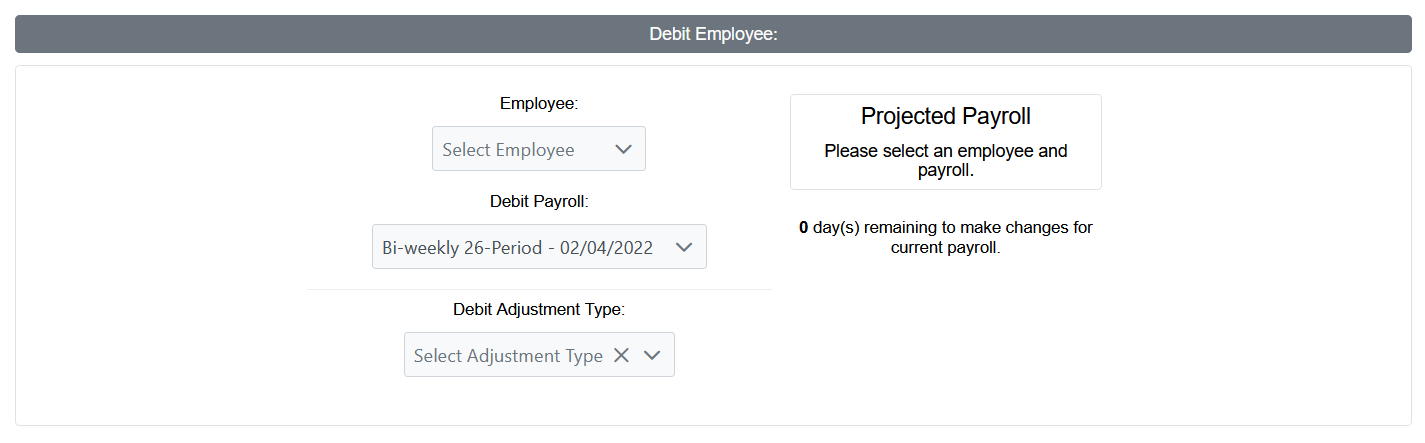
- Employee: Employee who will be debited.
- Debit Payroll: Payroll period to post the debit adjustment(s) to.
- Debit Adjustment Type: Adjustment type the debit(s) will be posted as.
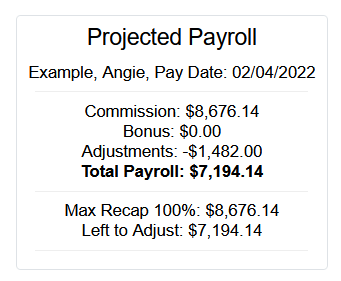
- Projected Payroll: When a payroll period and employee are selected, a preview of the projected pay for that period will show here.
Credit Employee Section
- Credit Payroll: Payroll period credit adjustment(s) are posted to.
- Credit Adjustment Type: Adjustment type the credit(s) will be posted as.
- Add Employee: Click this button to add an employee to be credited.
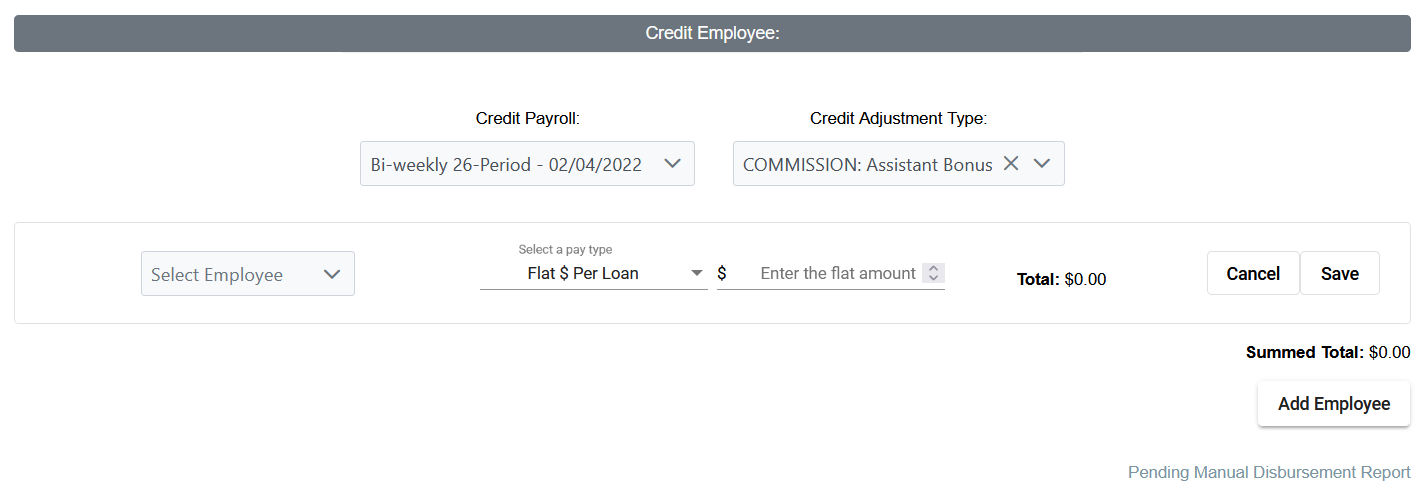
- Select Employee: Employee to be credited.
- Select a Pay Type: Type of pay. Can be one of the following (some options may not be visible depending on your company’s manual disbursement settings):
- Flat $ Per Loan *
- BPS Per Loan *
- Flat $ Across Loan *
- Flat $
- Enter Amount: Text field where the chosen amount to be credited is entered.
- Total: Total amount (in dollars) to be credited to the employee.
- Cancel: Button to cancel and delete this employee line.
- Save: Button to save this employee line.
Note: Options marked with a * require one or more loans to be selected in the Loan-based Compensation section below.
Loan-based Compensation Section
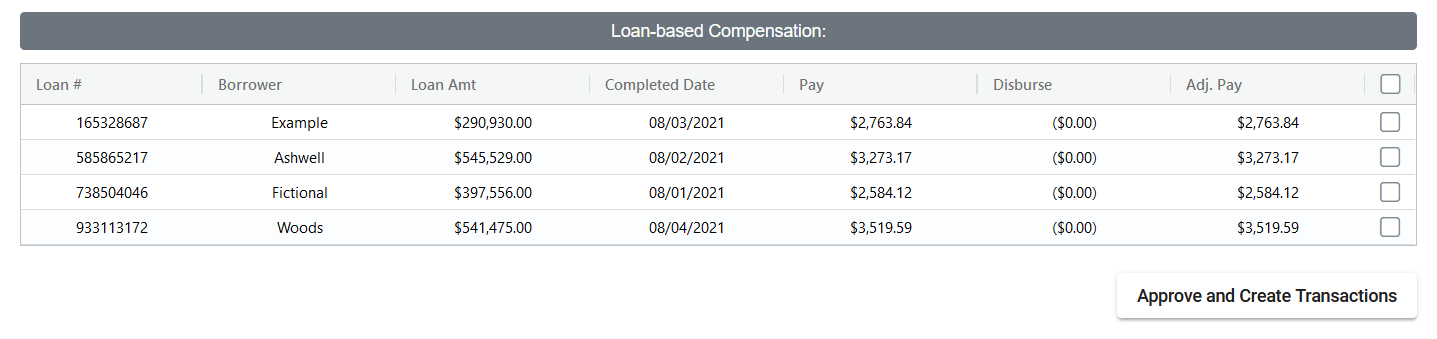
When an employee selected in the Debit Employee section is the LO on a loan that will pay in the selected period, that loan will appear in this list. This list contains the following columns:
- Loan #: Loan number of the corresponding loan.
- Borrower: Last name of the loan borrower.
- Loan Amt: Dollar amount of the loan.
- Completed Date: Completed date of the loan.
- Pay: LO’s compensation pay for the loan prior to any manual disbursement.
- Disburse: Amount disbursed from the LO on the loan.
- Adj. Pay: LO’s compensation minus disbursed pay.
- (Check box): For pay types that are associated with loans. Check the box next to each loan that will pay the credited employee.
Depending on your company's Manual Disbursement settings, you might have access to the following button:
- Approve and Create Transactions: Button to approve and create disbursement transactions using the details above.
Created Disbursement Transactions Section

If the employee selected in the Debit Employee section already has disbursement transactions, they will be listed here. This list includes the following columns:
- Loan #: Loan number associated with the disbursement transaction.
- Loan Amt: Dollar amount of the loan associated with the disbursement transaction.
- Disbursed On: Date the disbursement occurred.
- Disbursed To: Full name of the credited employee (Last name, First name).
- Disbursed Amount: Amount disbursed to the credited employee.
- View: Click to view the corresponding manual adjustment created by the disbursement.
See also: