Use Manual Calculation Tools
nCino Incentive Compensation provides tools to request a recalculation of compensation. Admins can do this at either the company level, or the employee level. This is especially useful when you make changes to compensation plans and want to quickly see how the changes affect compensation.
Minimum Compensation Access Level Required: Executive
Recalculate Single Loan
This method allows users to request recalculation for selected loans.
-
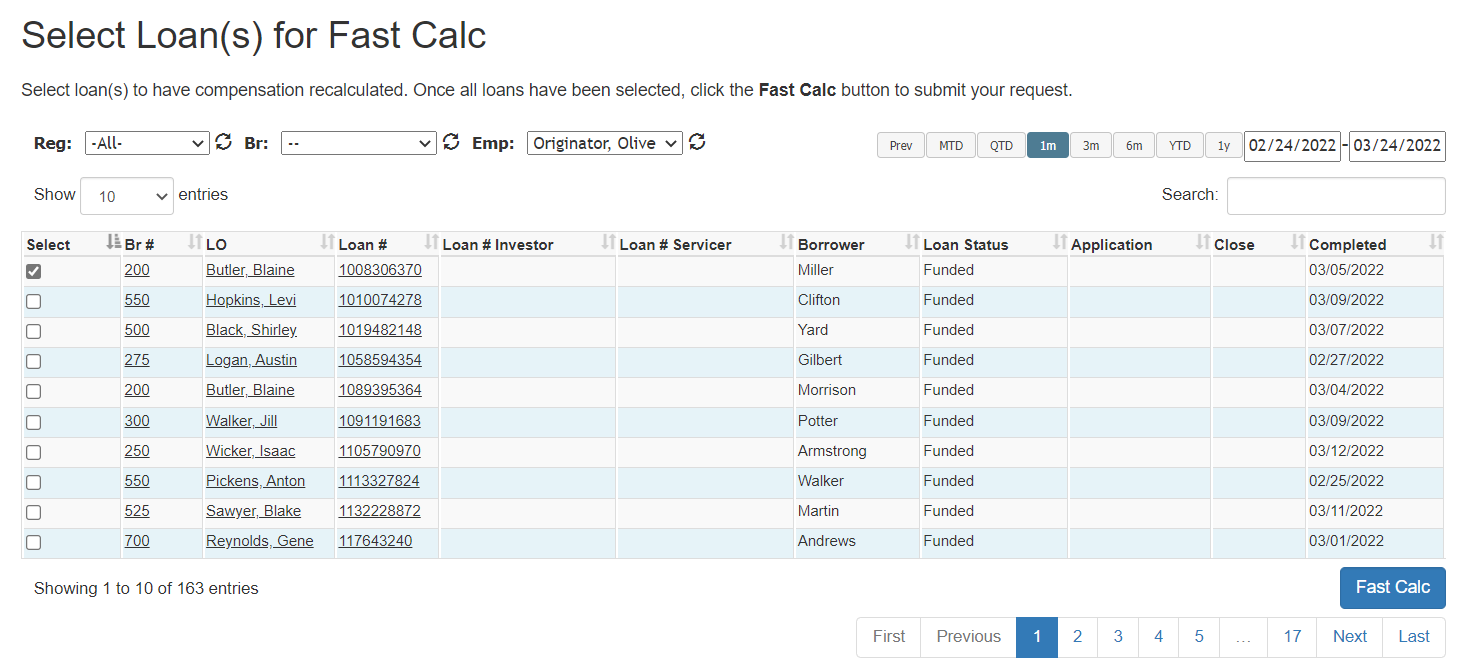
From the nCino Incentive Compensation menu, click Payroll ▼ > Corp Payroll Menu > Processing Compensation header > Select Loan(s) for Fast Calc.
-
Use the filter and search tools, along with the date range selector to find the loan(s) that need to be recalculated. For more information on these tools, refer to How do I filter reports? and How do I use the date selectors?.
-
Click the checkbox in the Select column to select the loan for recalculation. You must submit each page individually. Navigating to another page clears your selections.
-
Click the Fast Calc button in the bottom-right of the list. A confirmation appears to confirm your calculation request has been received.
Recalculate Single Employee
This method allows users to request recalculation for an individual employee for the next 60 days worth of pay.
-
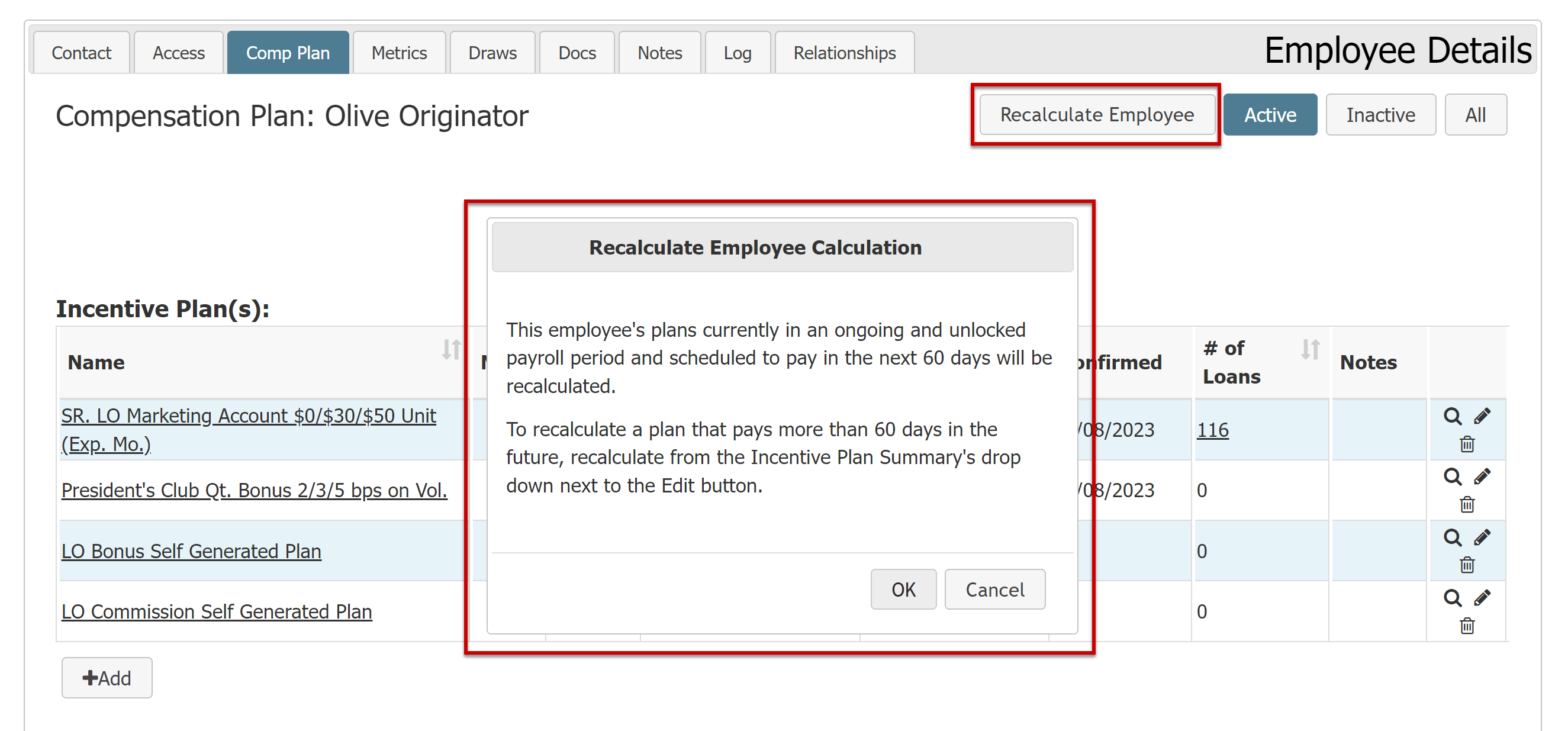
Navigate to the user’s Employee Details page > Comp Plan tab.
-
Click the Recalculate Employee button.
-
A dialog box appears that details which plans will be recalculated. Click the OK button. A confirmation displays to confirm that the employee will be recalculated.
See also: