Update Referral Loan Sources
nCino Incentive Compensation allows companies to enter and track their referral loan sources. These loan sources are also used as filters when creating incentive plans.
Minimum Compensation Access Level Required: Executive + Admin flag
Access the Referral Loan Sources Tool
To access the Referral Loan Sources from the nCino Incentive Compensation menu, click:
-
The gear icon(
 )
) -
System Admin
-
The Loans header
-
Update Referral Loan Sources
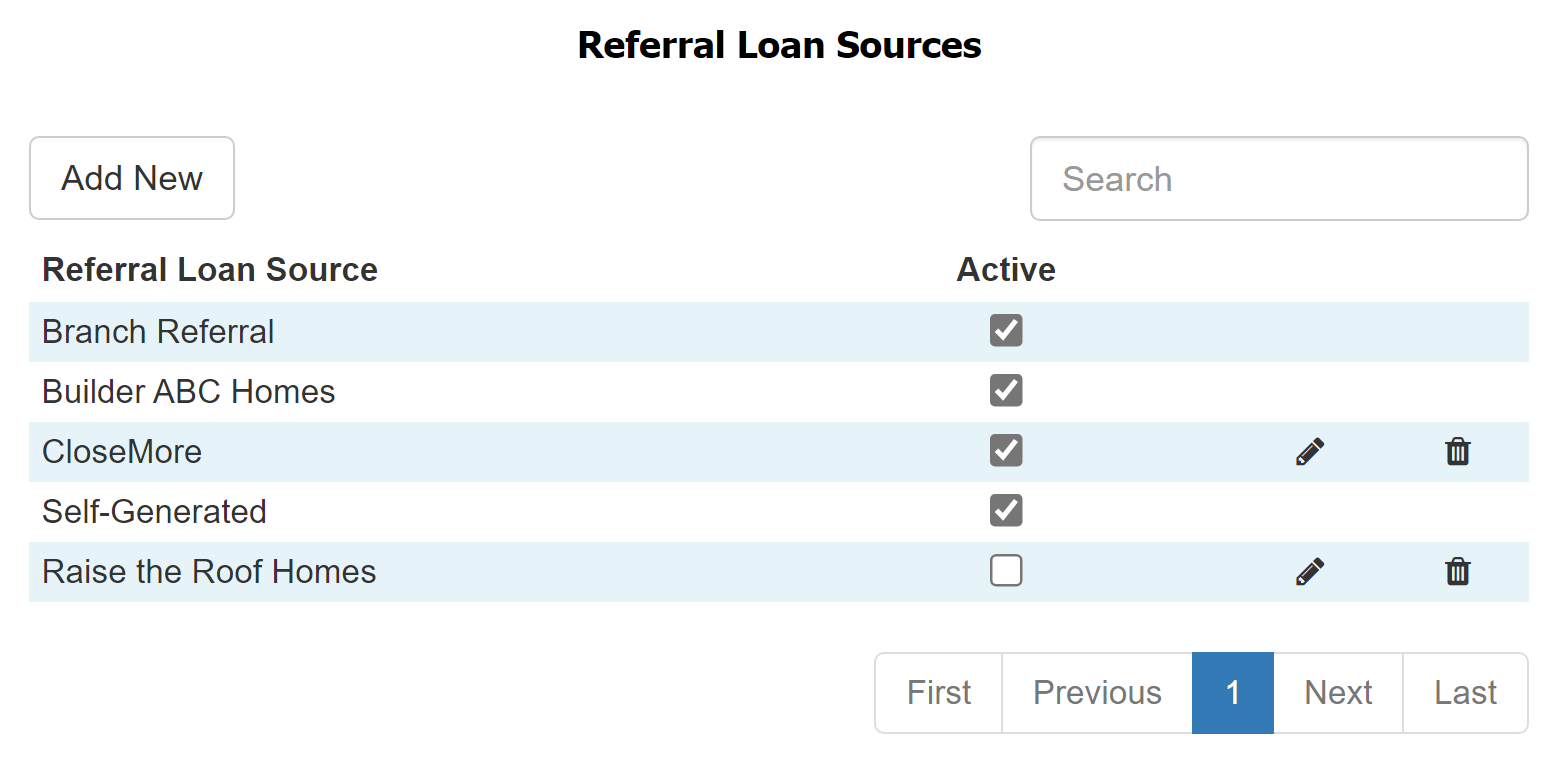
Update Referral Loan Sources
Add Source
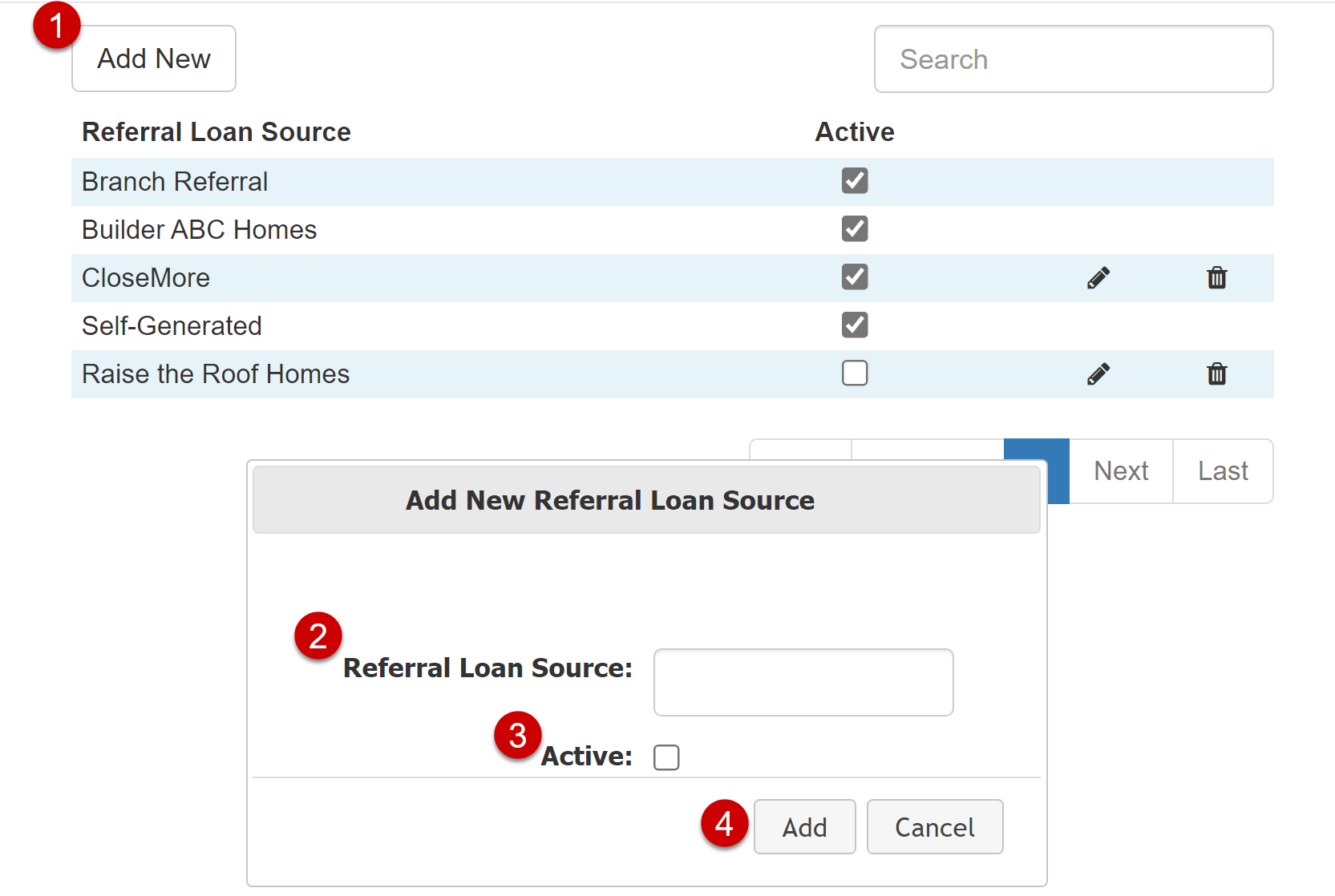
To add a new referral loan source:
-
Click the Add New button.
-
Enter the referral loan source exactly as it appears in your Loan Operating System (LOS).
-
Mark whether or not the referral loan source is currently active.
-
Click Add to save the new referral loan source.
Edit Source
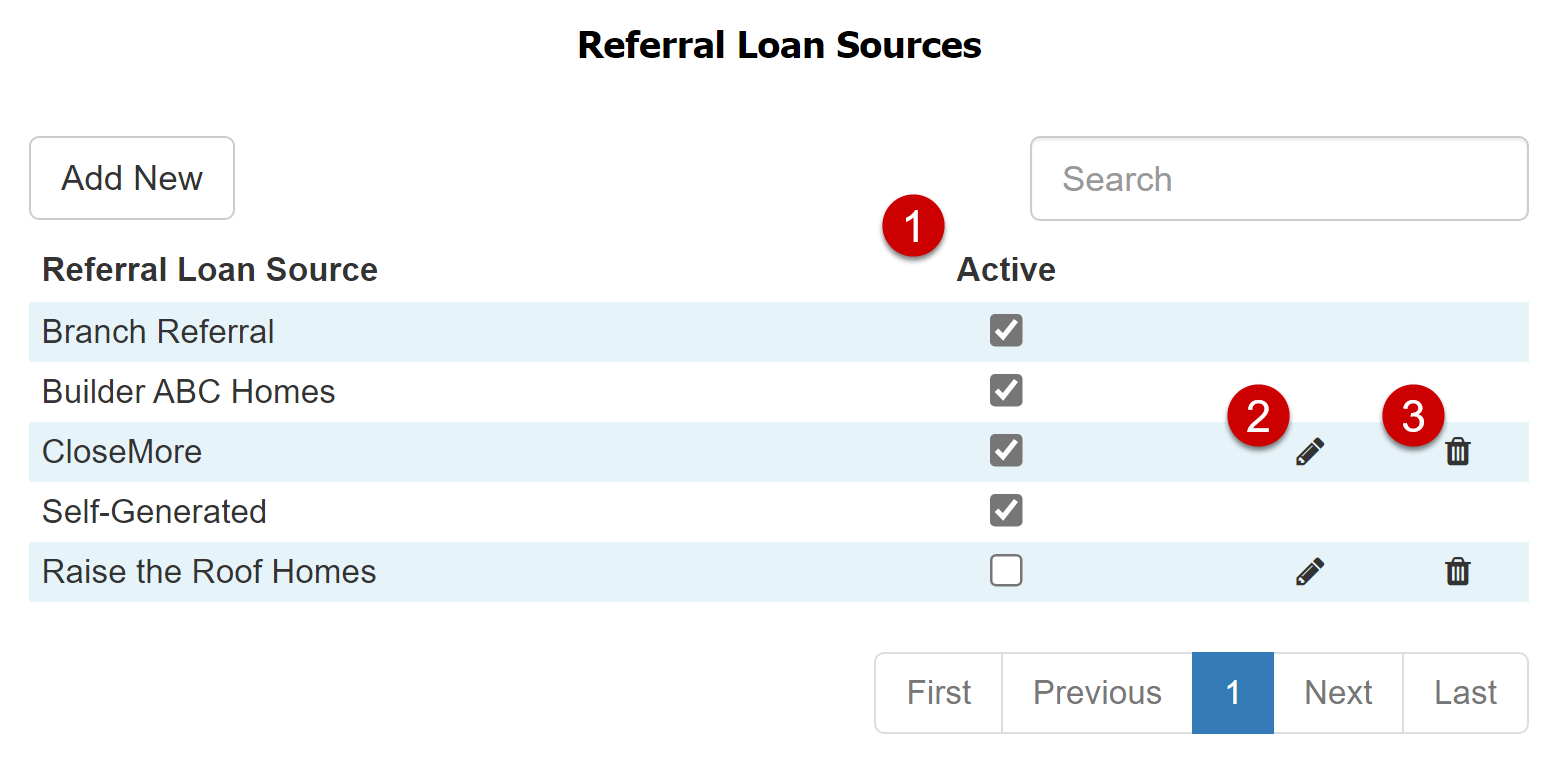
To edit an existing referral loan source:
-
To toggle its active status, select or deselect the Active checkbox (1).
-
To edit the name, click the edit pencil (
 )(2) and enter a new name in the dialog box that appears, click Save.
 -
To delete a source, click the trash can (
 )(3) and confirm your choice in the dialog box that appears.
Note: You cannot edit or delete Referral Loan Sources that are on loans that have been completed in a locked pay period.
Export Referral Loan Sources
To export this page, click the export icon.

See Also: