Convert a Schedule to an Incentive Plan
Incentive Plans are a flexible tool for creating compensation plans in nCino Incentive Compensation. This article details how to quickly convert a typical Schedule to a corresponding Incentive Plan based on each section in the Incentive Plan.
Detail
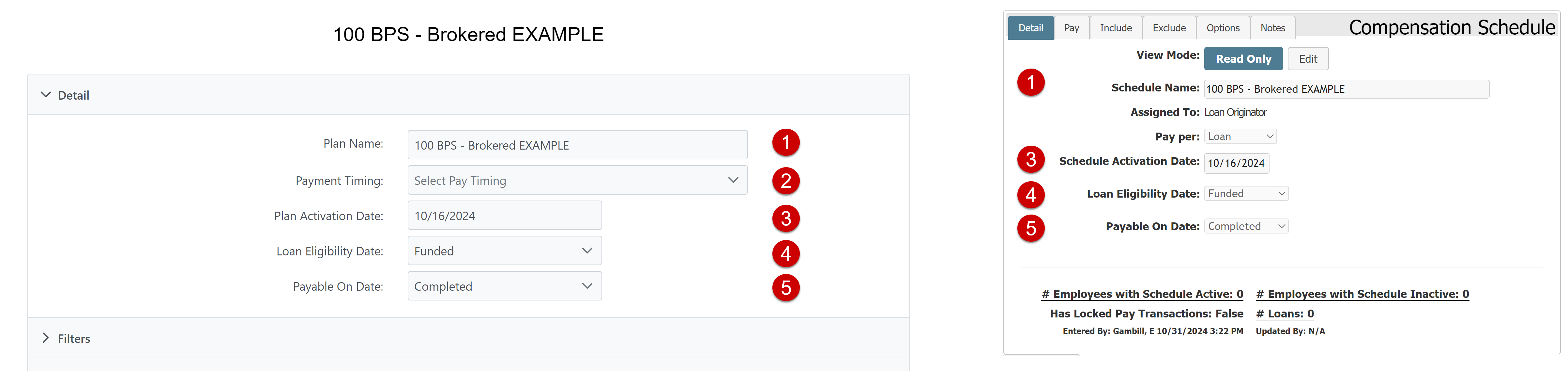
-
Plan Name (1): Same as Schedule Name
-
Payment Timing (2): The default Compensation Schedule timing corresponds with "Quickest (Vol per Month; Pay per Payroll Period at Highest qualified tier)". For more information on other options, refer to Understand Payment Timings.
-
Plan Activation Date (3): Same as Schedule Activation Date
-
Loan Eligibility Date (4): Same as Loan Eligibility Date
-
Payable On Date (5): Same as Payable On Date
Filters
Incentive Plans have a powerful Filters system. For information about the available options, refer to Incentive Plan Filter Options.
Volume Generated By
Incentive Plans can pay based on volume from a variety of sources. To create an Incentive Plan that pays an employee who has the plan when they are in a certain assignment on the loan, select "My Loans + Assignment" in the dropdown list, and the specific assignments they are in the "Assignment" section.
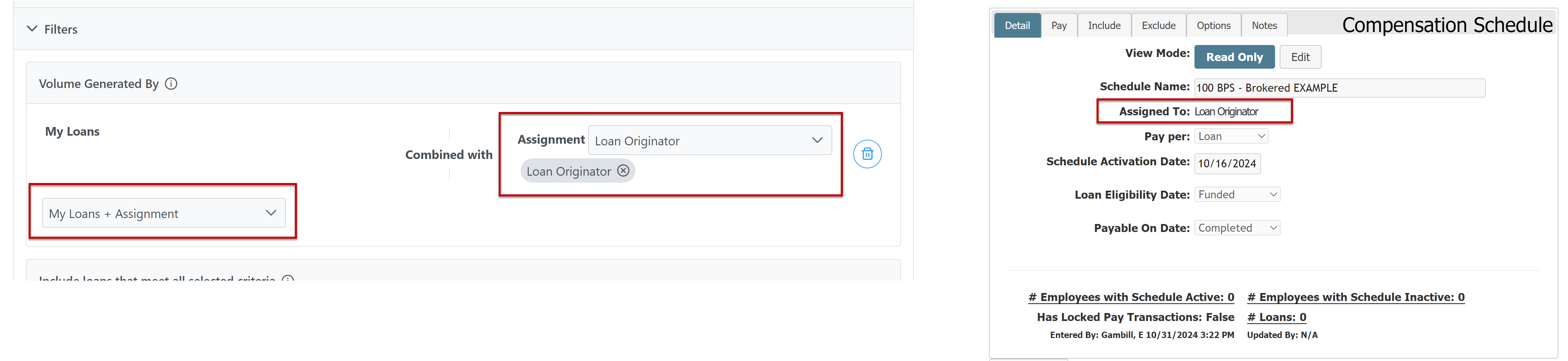
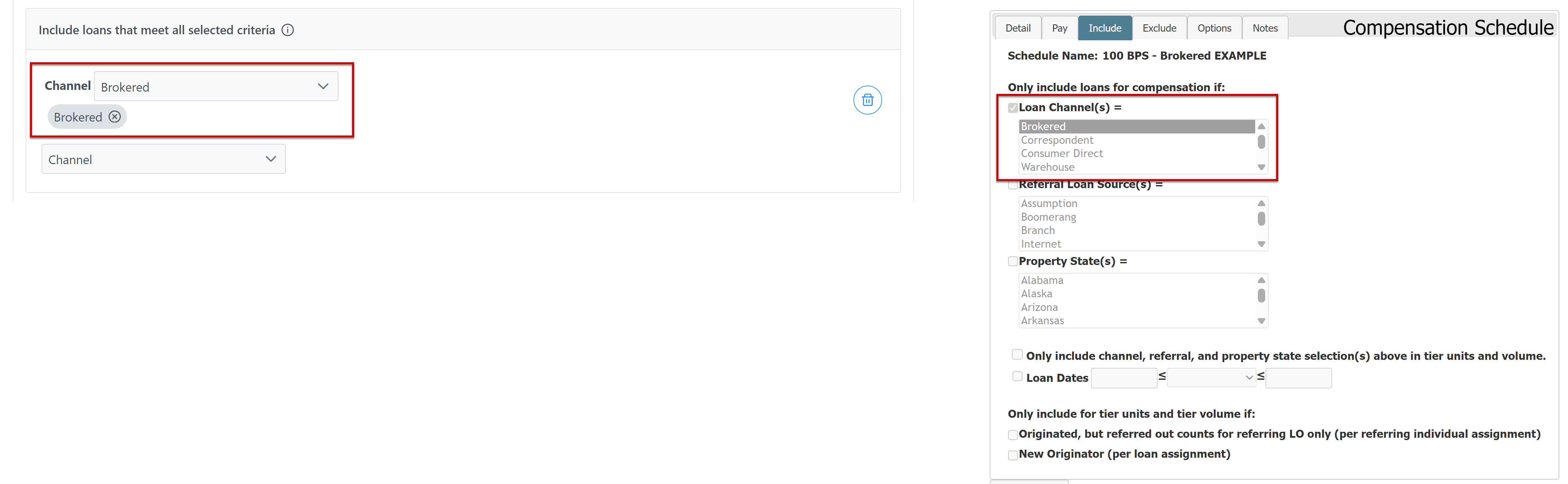
Include loans that meet all selected criteria
Incentive Plans have an Include section similar to Compensation Schedules, but you add items to it instead of selecting them from a dropdown list.
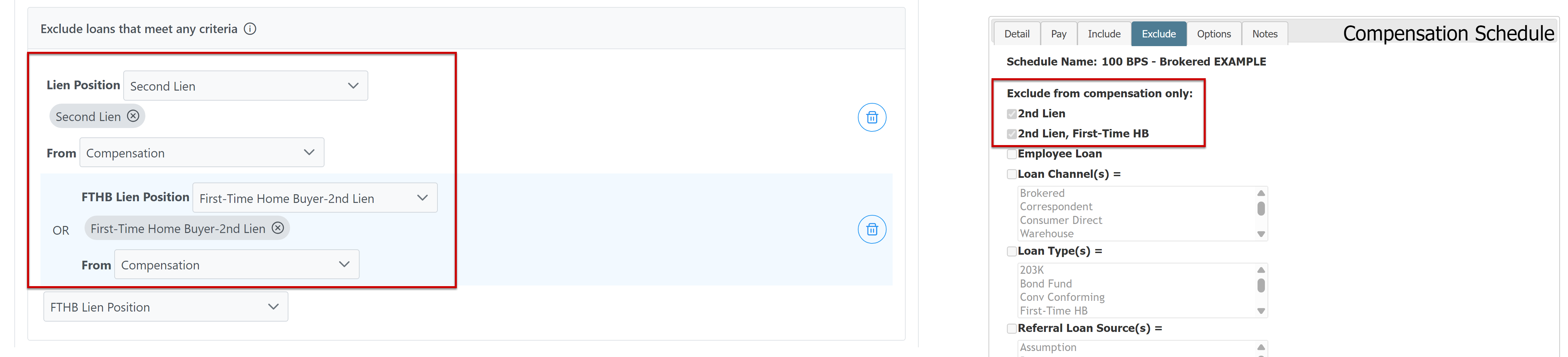
Exclude loans that meet any criteria
Incentive Plan Exclude items are a bit different than in Compensation Schedules. In an Incentive Plan, you select what to exclude, and then what to exclude those loans from (Compensation, Tier Volume, Tier Units, or some combination of the three). Additionally, the Exclude section provides more options for what lien positions and FTHB lien positions to exclude.
Pay
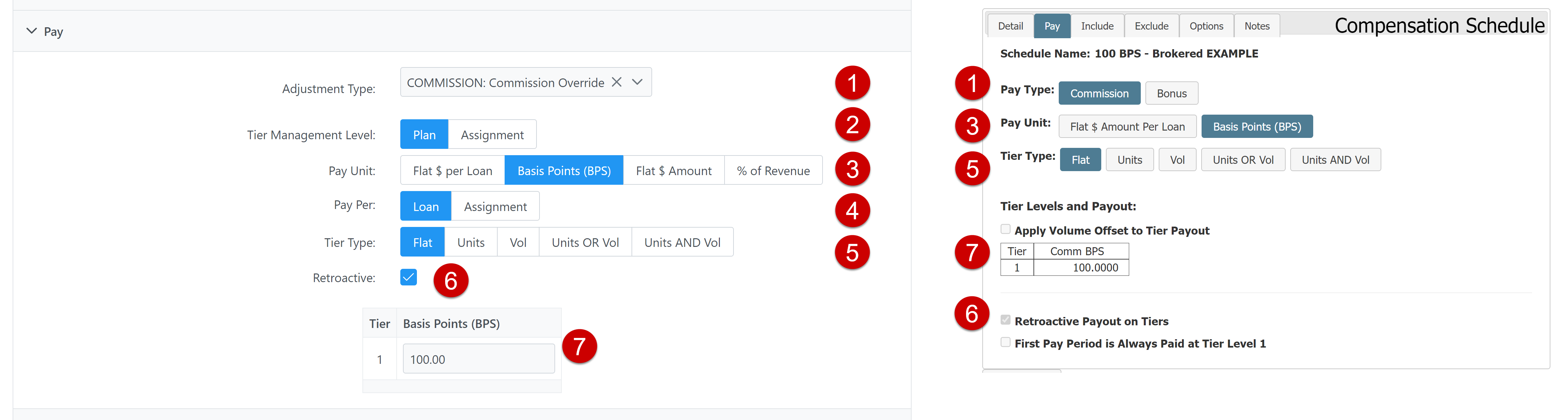
-
Adjustment Type (1): Same as Pay Type
-
Tier Management Level (2): Schedules correspond with the "Plan" option.
-
Pay Unit (3): Same as Pay Unit
-
Pay Per (4): Same as the Pay Per on Schedule's Detail tab.
-
Tier Type (5): Same as Tier Type
-
Retroactive (6): Same as Retroactive Payout on Tiers
-
Tier Structure (7): Same as Tier Structure
Options
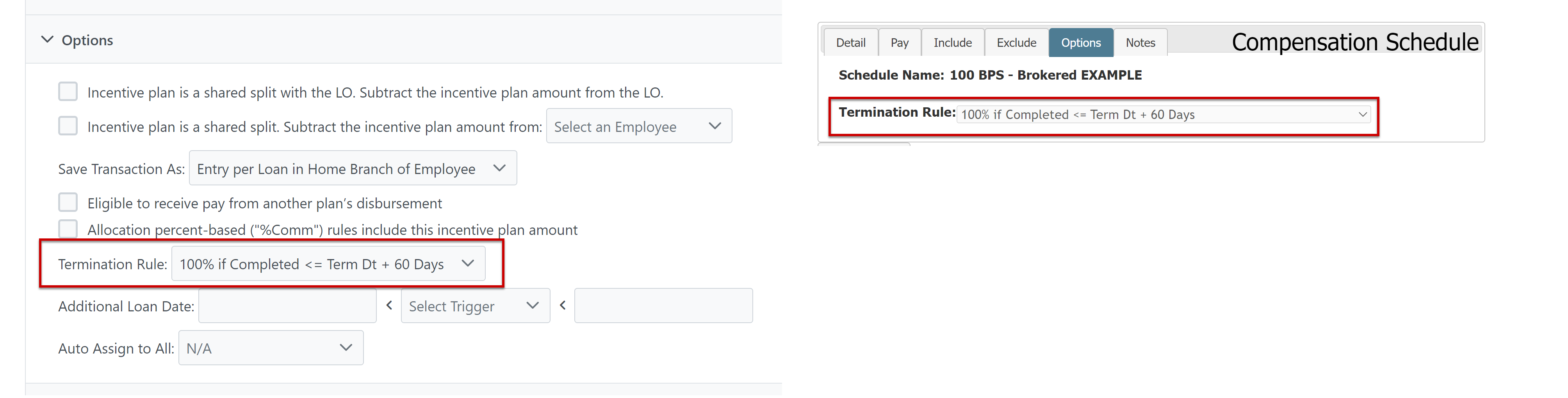
The Termination Rule on the Incentive Plan is the same as the Termination Rule on the Schedule.
See Also: