Understand Marketing Accounts
Marketing Accounts are a feature that enables companies to use nCino Incentive Compensation to credit and debit transactions specifically used to grow their business. This article details how to set up and use this feature.
Overview
Marketing Accounts are a feature in nCino Incentive Compensation that allows for tracking monies set aside for individual employees to grow their business. Marketing transactions have their own adjustment types that correspond to the Marketing pay type. Marketing account balances can be managed using Incentive Plans, manual payroll adjustments, or using uploaded payroll transaction files.
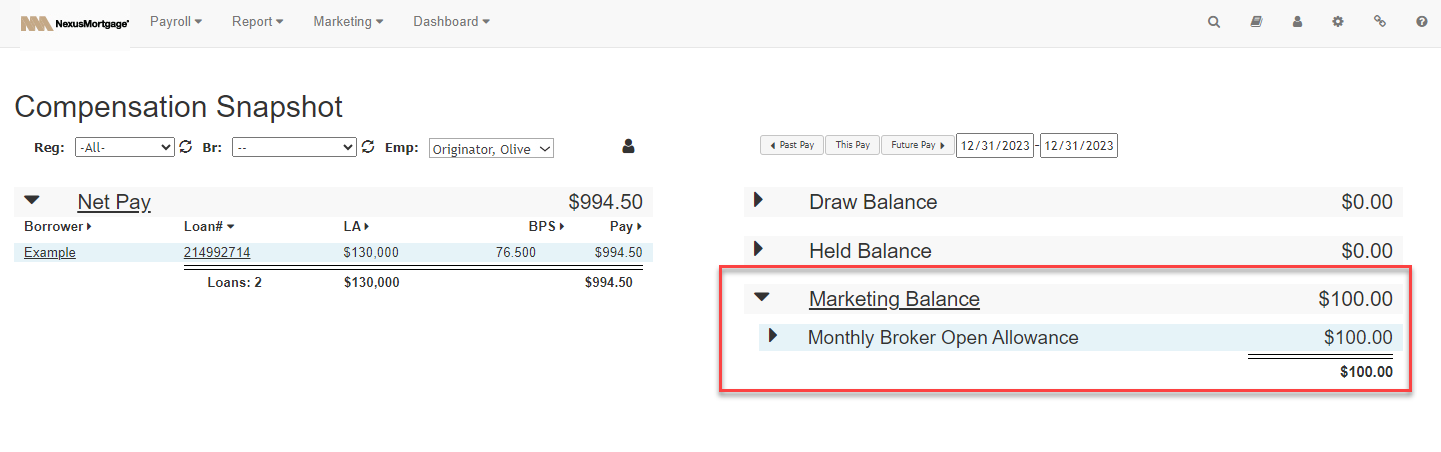
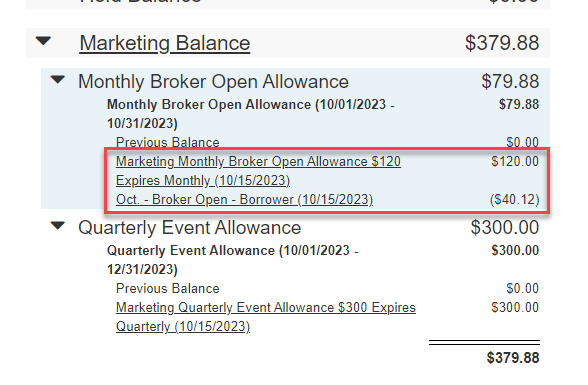
On the Comp Snapshot screen, an employee's marketing balance is shown on the right side, and transactions are grouped according to adjustment type.
Setting Up Marketing Accounts
You can set up Marketing accounts in nCino Incentive Compensation by creating adjustment types that correspond to the Marketing pay type. Additionally, there are two Company Parameters that control how Marketing Accounts function.
Marketing Adjustment Types
All Marketing Adjustment Types correspond to the "Marketing" Pay Type. You can add Marketing Adjustment Types to the "Incentive Plan Adjustment Types" and "Manual Adjustment Types" lists.
Note: Marketing is the only pay type not included in Net Pay.
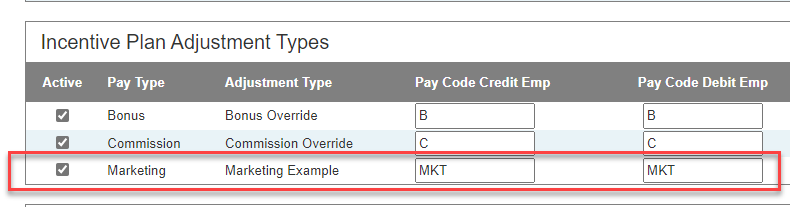
For more information on Adjustment Types, refer to Set Company Adjustment Types and Adjustment Types.
Company Parameters
Two Company Parameters interact with Marketing Accounts features.
-
Min AL - Marketing Acct Transactions: The minimum compensation Access Level required to add or edit marketing payroll adjustments. Default = "3 - Master Branch".
-
Global Overall SAO Maximum Marketing: The maximum amount any employee can retain in their marketing account balance. Once this maximum amount is reached, nothing further will be credited to the Marketing Account. Each night, the system will use this global overall maximum cap to apply reductions to the marketing balance if any employee has a marketing balance pay over this amount in aggregate. Default = blank.
To update your Company Parameters, reach out to nCino Incentive Compensation support.
Managing Marketing Accounts in nCino Incentive Compensation
Marketing Accounts can be credited or debited within nCino Incentive Compensation using Incentive Plans or Manual Adjustments.
Using Incentive Plans
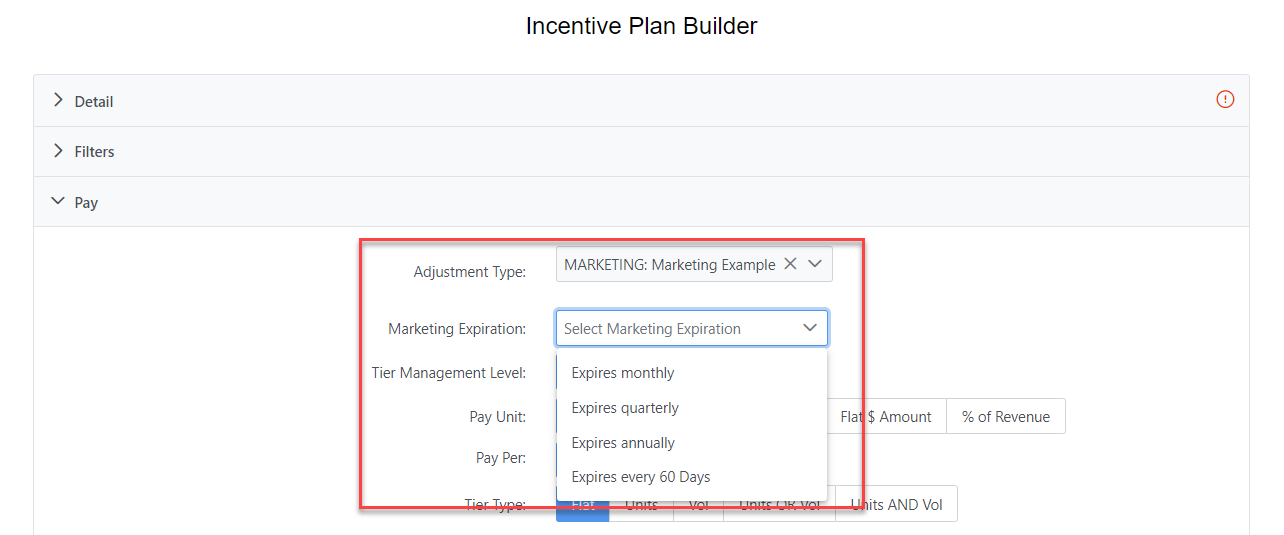
If at least one Marketing Adjustment Type is active for Incentive Plans, Incentive Plans can be used to credit or debit Marketing Accounts. To create a Marketing Incentive Plan, set the Adjustment Type in the Pay tab to one that corresponds with a Marketing Pay Type. These Adjustment Types begin with "MARKETING:" in the name.
When you select a Marketing Adjustment Type, the "Marketing Expiration" option will appear. This can be used to select how long the Marketing credit will be available. After the selected amount of time has passed, that credit will no longer show on the Comp Snapshot and will be unavailable for use.
Note: Do not use with the "Incentive plan is a shared split with LO" option. Attempting to use this option on an LO's plan will result in no change, since it would be both deducting and adding the same amount to their Marketing account.
For more information on setting up Incentive Plans, refer to Create or Edit Incentive Plans.
Using Manual Adjustments
If at least one Marketing Adjustment Type is active for Manual Adjustments, they can be used to credit or debit Marketing Accounts. To do this, select a Marketing Adjustment Type when creating a new manual adjustment.
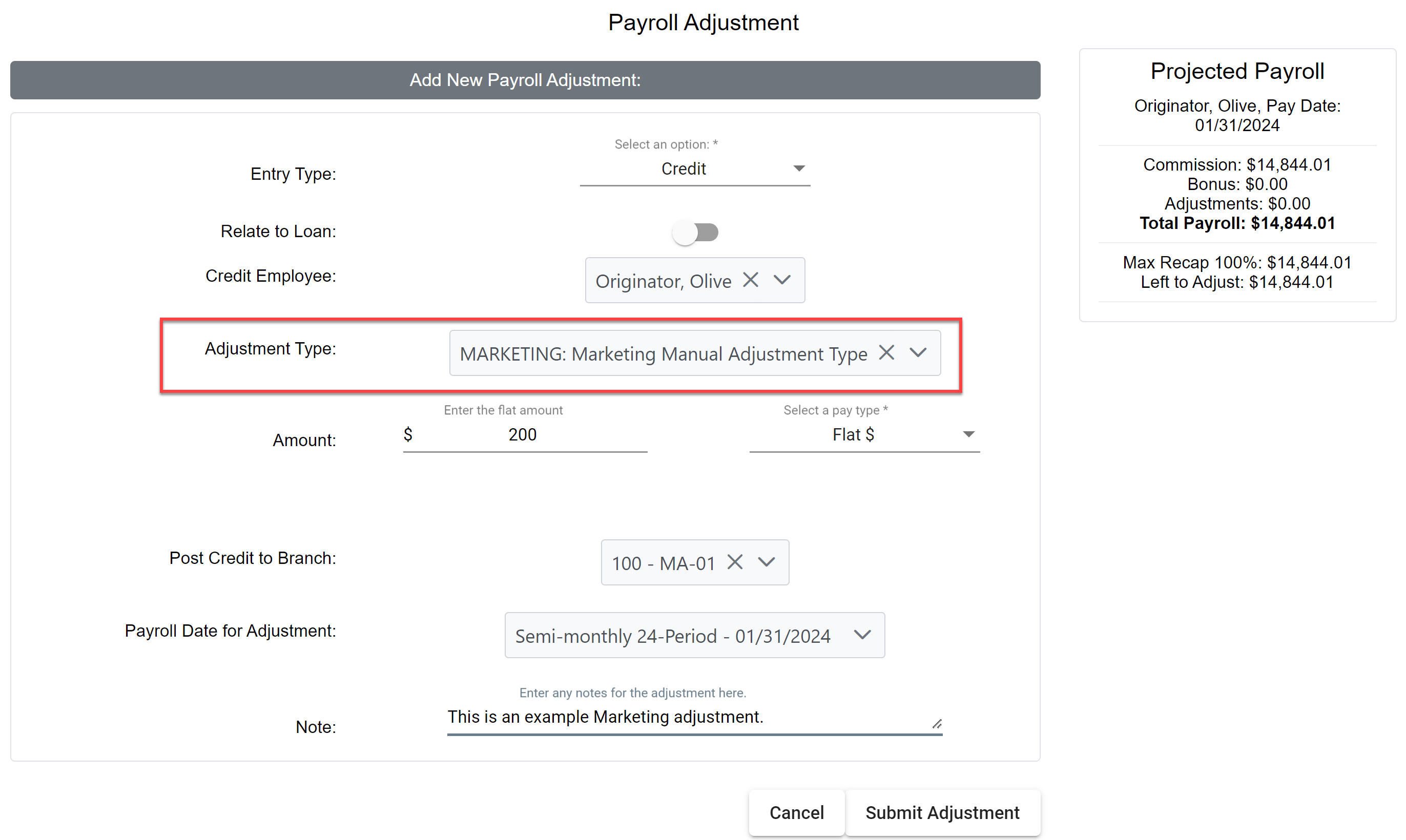
For more information on creating Manual Adjustments, refer to Payroll Adjustments.
Using Uploaded File to Manage Marketing Accounts
Marketing transactions can be uploaded in bulk like any other type of payroll transaction. To do this, use the template from the Upload Payroll Transactions tool as a base, and fill it with credit and debit adjustments that use Marketing Adjustment Types.
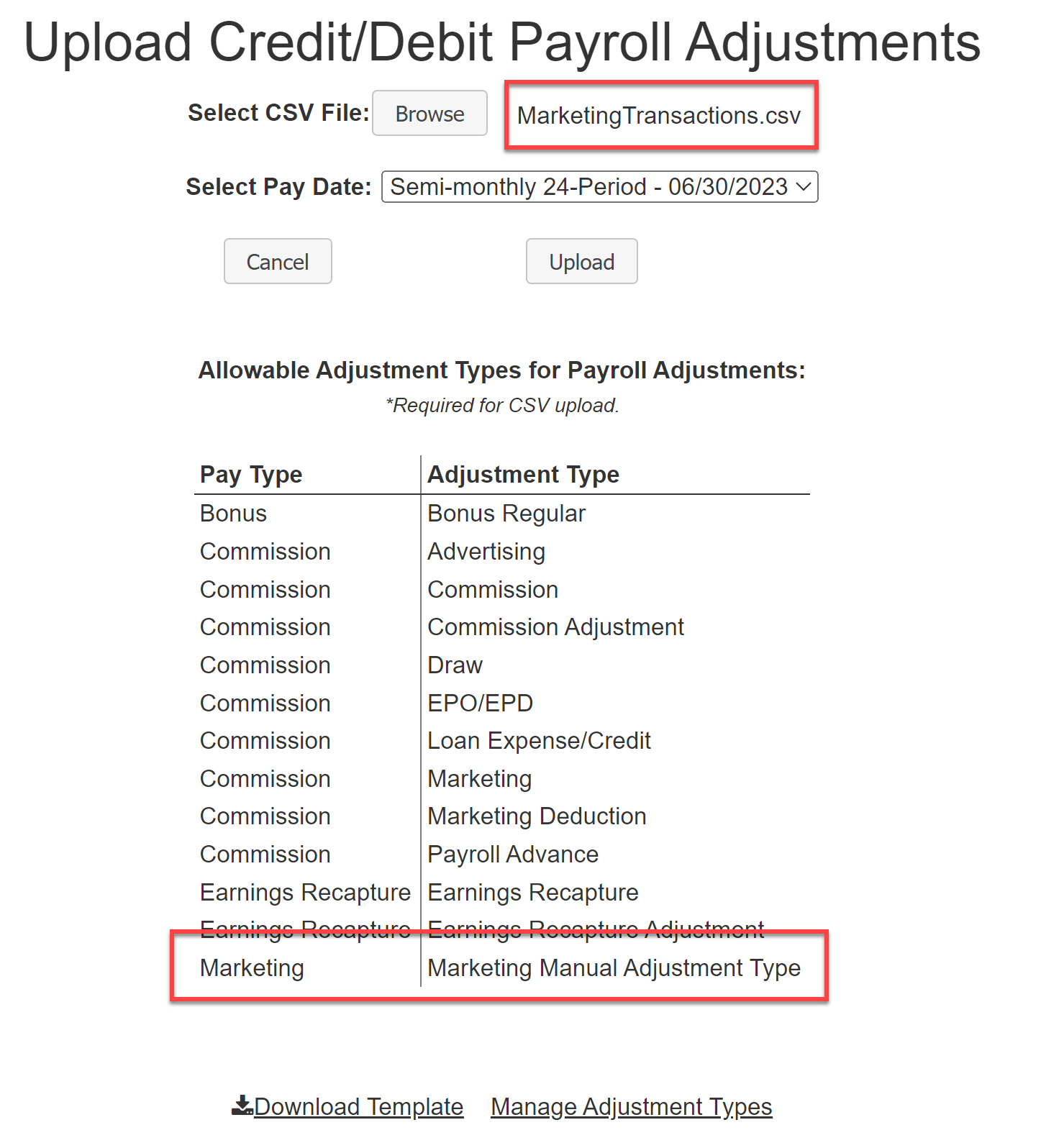
For more information on bulk uploading payroll adjustments, refer to Upload Credit/Debit Adjustments.
Marketing Transaction Grouping
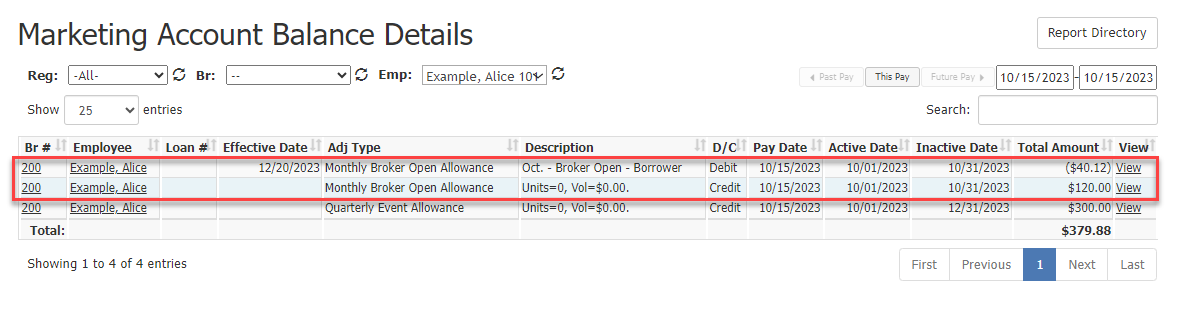
When a Marketing debit is posted, nCino Incentive Compensation will always attempt to group it with existing Marketing credits. Credits and debits that are grouped together will be shown together on the Comp Snapshot and Marketing reports. Grouped credit and debit transactions will calculate against each other, and the debit will inherit the credit's expiration date.
Marketing debits and credits are grouped if all of the following are true:
-
Their Adjustment Types match.
-
Their Pay Types match.
-
The Pay Date of the debit is within the Active and Inactive dates of the credit.
If a debit is posted that cannot be grouped with a credit, it will not expire. It will stay in the Marketing balance until grouped with a credit.
The following images show a grouped Marketing credit and debit on the Marketing Account Balance Details report and the Comp Snapshot.
See Also: