System Administration Menu
The nCino Incentive Compensation System Admin menu provides system administrators with a suite of powerful tools and quick access to several key nCino Incentive Compensation pages to help them get the most from nCino Incentive Compensation. This article describes each of the functions available, and where to find more information on using them.
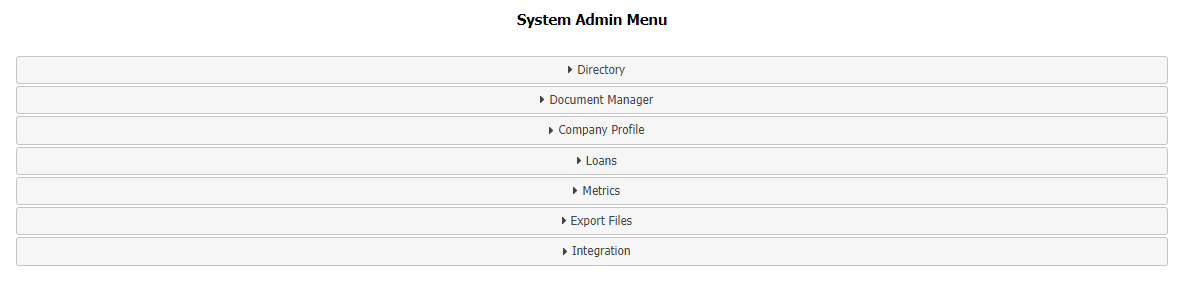
- Employees – Links to the Employee Directory Page
- Add Employee – Links to the page to create a new employee record
- Employees Access Levels and Relationships – Links to the Employee Access Level and Hierarchy report.
- Branches – Links to the branch directory
- Add Branch – Links to the page to create a new branch record
- Regions – Links to the region directory
- Add Region– Links to the page to create a new branch record
- Employee Position Mapping – Links to the Employee Positions Mapping & Default Features Selection page.
- Adjustment Types – Page to view, add, or edit adjustment types.
- Company Parameters – Page to view parameters that determine a variety of nCino Incentive Compensation behaviors
- Company Logos – Page to view or upload company logo images
- External Links Management – Page to view, edit, or add to the external links available from Links icon in the nCino Incentive Compensation menu
- Company Approved Email Domains – Page to view, edit, or add accepted email domains for employees to use
- Invoiced Loans – A report that includes all billable loans included in the monthly unit billing invoice.
- Schedule Metrics – Page that shows the details of all metrics currently available for schedules
- Manual Disbursement Settings - Control panel for manual disbursement options. (Visible only if manual disbursement is enabled for your company)
- Relationship Management - Control panel for managing the active status and access level required for relationships.
- Delete Loan Record – Page to delete an individual loan record from nCino Incentive Compensation
- Manage Assignment Groups – Page to view, edit, or add employee assignment groups (includes termination rules)
- Set Loan Statuses – Page to set loan status from the LOS, and their equivalent in nCino Incentive Compensation
- Set Product Loan Types – Page to set loan types in nCino Incentive Compensation based on the product from the LOS
- Update Broker Account Source– Page to view and update allowed broker account sources.
- Update Investors – Page to view, update, and manage investors in nCino Incentive Compensation
- Update Referral Loan Sources – Page to add, edit, activate, inactive, and delete referral loan sources.
NOTE: Compensation plans without any assignments will not be present in any of the following exports.
- Allocation Rule Detail - Generates an export for all of the allocations assigned to active employees and employees who were terminated within the past 6 months.
- Compensation Schedule Detail - Generates an export for all of the compensation schedules assigned to active employees and employees who were terminated within the past 6 months.
- Incentive Plan Detail - Generates an export for all of the incentive plans assigned to active employees and employees who were terminated within the past 6 months.
- Integration Log – An overview of the data received through integration per day.
- Download DataSwap Documentation - A PDF of the documentation for working with nCino Incentive Compensation DataSwap
See also: